


#2470 closed bug (not reproducible)
DriveSetup error preparing disk
| Reported by: | meanwhile | Owned by: | nobody |
|---|---|---|---|
| Priority: | normal | Milestone: | |
| Component: | Kits/Storage Kit | Version: | R1/pre-alpha1 |
| Keywords: | Cc: | miqlas@… | |
| Blocked By: | Blocking: | ||
| Platform: | All |
Description
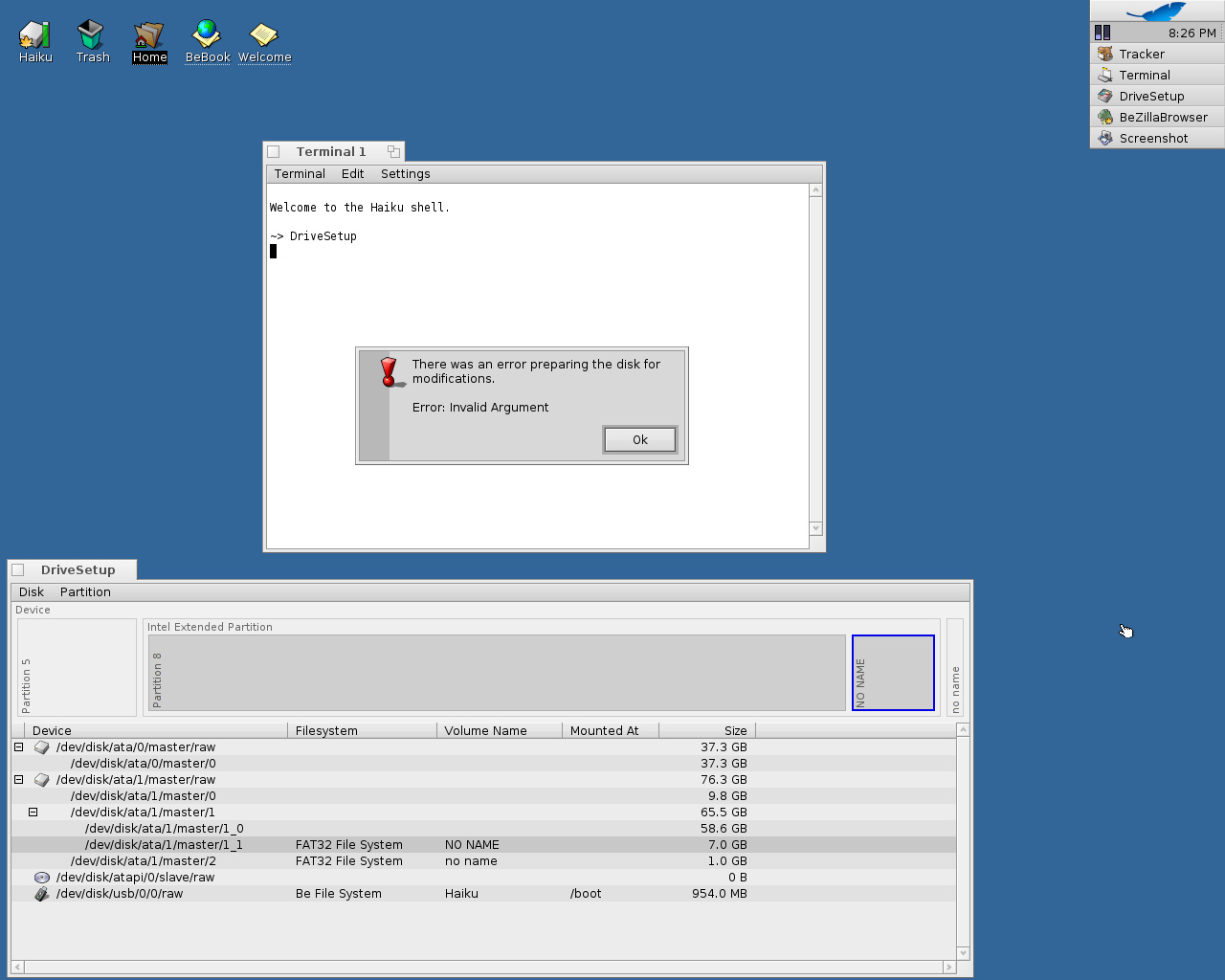
Trying to re-initialize a corrupted partition, using DriveSetup (on Haiku hrev25619) fails with: "There was an error preparing the disk for modifications. Error: Invalid Argument."
Attachments (7)
Change History (24)
comment:1 by , 16 years ago
comment:2 by , 16 years ago
Thanks; could you please tell me how to do so? I'm not experienced in using Terminal at all, unfortunately...
comment:3 by , 16 years ago
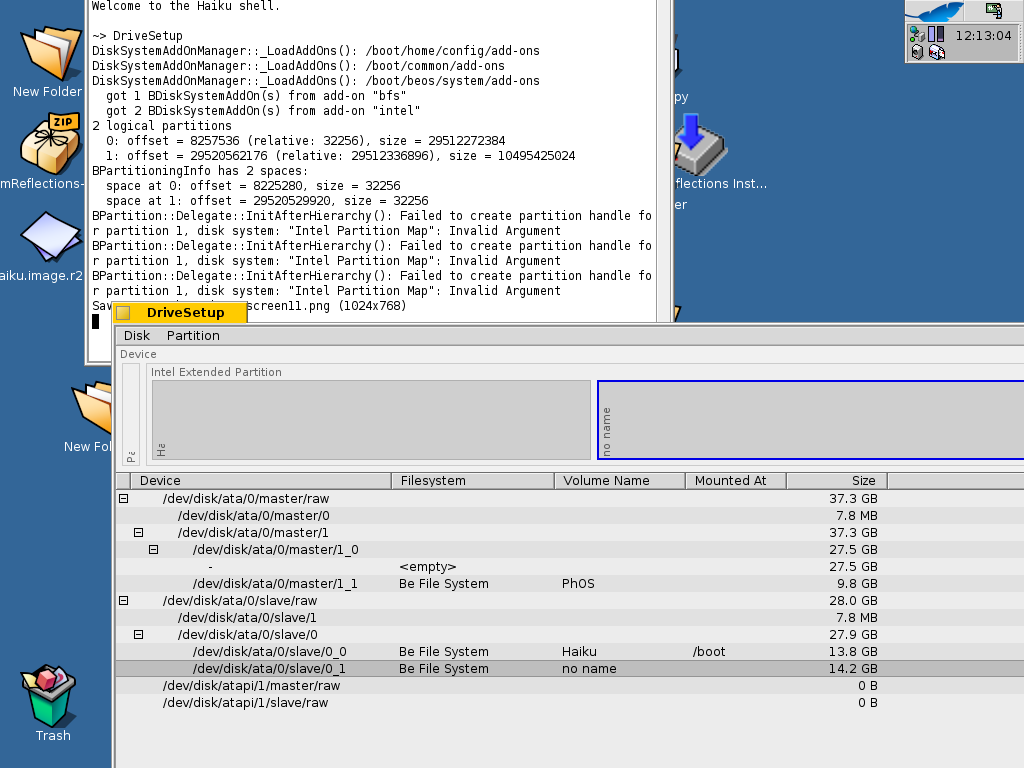
Open the "Terminal" application. At the prompt, type "DriveSetup" (case is important) and hit the Return/Enter key. This works because the path to the "DriveSetup" application in the file system is part of the "PATH" environment variable, which contains all paths that the Terminal searches for "commands". Commands are just regular programs without a graphical user interface. Most often, commands do something with the "standard input" and the "standard output", which has to do with the text in the Terminal, think of these as input and output data channels. The power of the Terminal is that multiple commands can be chained together by these channels, and entire programs can be formed by scripts of commands. You should look into it sometimes, it can be quite interesting and powerful! :-) DriveSetup outputs additional error information to the "standard output", which means into the Terminal if you launch it there. If you launch DriveSetup from Tracker/Deskbar, this output goes "nowhere" and stays invisible.
by , 16 years ago
| Attachment: | DriveSetupOutput.txt added |
|---|
What the Terminal says after starting DriveSetup, selecting 'no name' and choosing 'Partition', 'Initialize', 'Be File System', 'Continue', 'OK'.
comment:4 by , 16 years ago
I forgot to mention what I did before: After problems (described in #2461), I reformatted the troublesome Haiku partition using PartitionMagic into another filesystem (FAT32), then installed BeOS 5 Pro onto it, from its original install-disc. When asked by the BeOS 5 Pro installer if I wanted to initialize the partition, I chose 'yes' and used the 1024 blocksize. After installing had completed, I checked if the BeOS 5 Pro was properly installed and it was. It was this partition, named 'no name' (see above), that I then tried to initialize, using DriveSetup from another - but still working- Haiku partition on the same PC.
Stippi, please let me know if you think this is a DriveSetup bug that can be solved someday, or if it is something inevitable that has to do with recent changes in Haiku.
Or maybe DriveSetup can initialize other filesystems like NTFS or FAT32? I'd try that then.
comment:5 by , 16 years ago
Update: just managed to replace the working Haiku partition with the latest revision (without initializing)...
comment:6 by , 16 years ago
I am getting a similar error as long as I have the reiserfs add-on installed. But I am getting reiserfs related output in the Terminal when I try to init a partition. When I remove the reiserfs add-on, I can init the partition. However, your output looks different. We may work on partitioning in the next weeks. It doesn't really matter if the problem is in DriveSetup (probably not) or somewhere closer to the kernel and it's add-ons. It's just a bug that we need to fix. As long as it is reproducible, it should be relatively quick to find.
by , 16 years ago
| Attachment: | DriveSetup26397.txt added |
|---|
comment:9 by , 16 years ago
Please try again with hrev26465, DriveSetup could be confused in various ways. The preparation for modifications would then fail before initializing a partition.
by , 16 years ago
| Attachment: | DriveSetup26477.txt added |
|---|
comment:11 by , 16 years ago
This looks more like a problem in the disk device manager from the output.
comment:12 by , 15 years ago
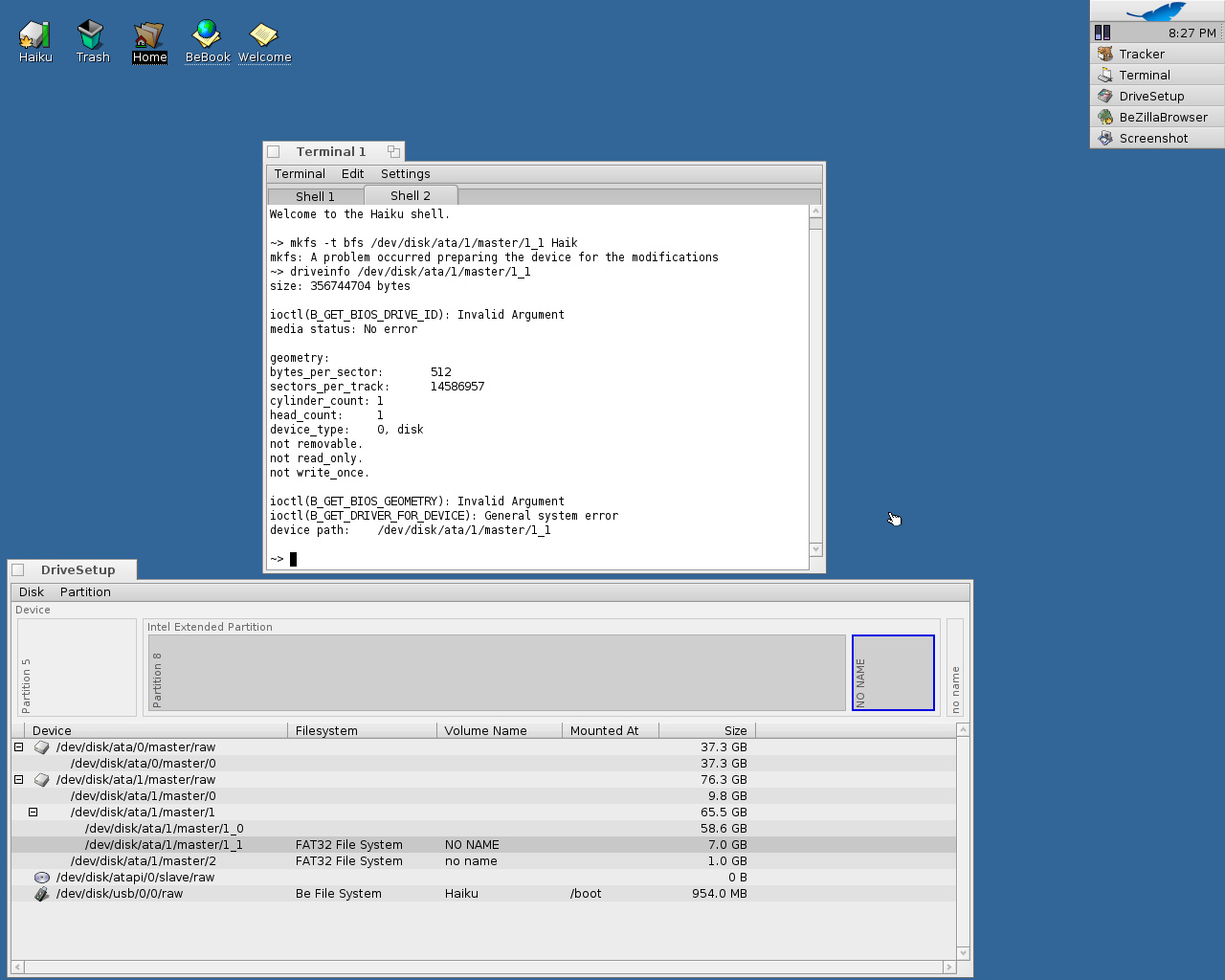
I have the same problem, but i don't see any error in the syslog. But i attach 2 interresting screenshoot. Please, chek it.
by , 15 years ago
| Attachment: | DriveSetup_error.jpg added |
|---|
DriveSetup error massage (I started it from Terminal, but there is no error massage in the Terminal window)
comment:13 by , 15 years ago
| Cc: | added |
|---|
comment:14 by , 13 years ago
| Component: | - General → Kits/Storage Kit |
|---|
comment:15 by , 7 years ago
| Owner: | changed from to |
|---|---|
| Status: | new → assigned |
comment:16 by , 5 years ago
| Resolution: | → not reproducible |
|---|---|
| Status: | assigned → closed |
Appears nobody has seem this in quite a long time; closing.
comment:17 by , 4 years ago
| Milestone: | R1 |
|---|
Remove milestone for tickets with status = closed and resolution != fixed




Could you please run DriveSetup in a Terminal and reproduce the error? You should get more specific error output, please paste it here.