


#3150 closed bug (fixed)
BFS directory corruption.
| Reported by: | bga | Owned by: | axeld |
|---|---|---|---|
| Priority: | blocker | Milestone: | R1/beta2 |
| Component: | File Systems/BFS | Version: | R1/Development |
| Keywords: | Cc: | olive@…, alaricx@…, miqlas@…, rossi@…, HubertNG@… | |
| Blocked By: | Blocking: | #3932, #4011, #8712, #9761, #14409 | |
| Platform: | x86 |
Description
I set up a new partition to run Haiku and did a clean install of hrev28657. Setting it up included downloading sources for stuff I am working on, configuring/dowmnloading emails, setting backgrounds, etc.
This morning I turned my computer on and booted to this partition. I was decided to get ArmyKnife to compile under Haiku and switched to its directory. Doing "ls" on it resulted into this:
~/development> cd armyknife/
~/development/armyknife> ls
ls: reading directory .: Bad data
Makefile  Makefile_armyknife  Makefile_armyknife_tte  Makefile_libsanta
syslog showed this:
KERN: B+tree header size 6132779464041449732 doesn't fit file size 2048!
KERN: bfs: SetTo:471: Bad data
KERN: bfs: KERN: inode tree at block 2624136 corrupt!
KERN: bfs: InitCheck:432: Bad data
This is the disk, just in case:
~/development> df
Mount           Type      Total     Free     Flags   Device
--------------- -------- --------- --------- ------- --------------------------
/boot           bfs          77.0G     66.6G QAM-P-W /dev/disk/scsi/0/2/0/2
I decided to run checkfs on it although I imagined it would not handle this kind of problem:
~/development> checkfs /dev/disk/scsi/0/2/0/2
prop-base (inode = 4719490), could not be opened
lock (inode = 3148138), has blocks already set, names don't match
documentation (inode = 2624136), could not be opened
checked 115255 nodes, 0 blocks not allocated, 2 blocks already set, 3943 blocks could be freed
        files           92648
        directories     22225
        attributes      268
        attr. dirs      84
        indices         30
Then trying to run ls on the dir again (note no files are showing now. That's because I tried to remove the directory but it failed with directory not empty and removed the files inside it that were ok but not the corrupt ones):
~/development/armyknife> ls
ls: reading directory .: Bad data
Ans syslog still showed the same error:
KERN: B+tree header size 6132779464041449732 doesn't fit file size 2048!
KERN: bfs: SetTo:471: Bad data
KERN: bfs: inode tree at block 2624136 corrupt!
KERN: bfs: InitCheck:432: Bad data
Attachments (6)
Change History (70)
comment:1 by , 15 years ago
| Cc: | added |
|---|
comment:2 by , 15 years ago
comment:3 by , 15 years ago
Not much luck with that:
/Haiku1/home/development> ls -i armyknife
ls: reading directory armyknife: Bad data
/Haiku1/home/development/armyknife> ls -i
ls: reading directory .: Bad data
comment:5 by , 15 years ago
| Cc: | added |
|---|
follow-up: 7 comment:6 by , 15 years ago
This also happened to me, I reinitialized the partition, and after about 30 minutes later it happened again. Interestingly, after a reboot I can't find the offending file like if the problem disappeared.
comment:7 by , 15 years ago
Replying to Adek336:
This also happened to me, I reinitialized the partition, and after about 30 minutes later it happened again. Interestingly, after a reboot I can't find the offending file like if the problem disappeared.
It would be interesting to know what you did in those 30 minutes :-) Did you initialiaze the partition inside Haiku, and just continued working, or was it the boot partition? Also, how much memory do you have, and how large is the partition?
I suspect this to be a problem of the block cache - maybe it reverts some blocks for whatever reason with old contents.
It would be nice to have a reproducible test case, though, as I haven't been able to reproduce this problem yet.
follow-up: 11 comment:8 by , 15 years ago
It's not the boot partition, it's 10gb, I've got 3gb RAM. After initially having an error with the partition, I copied some files from it to boot partition, reinitialized, copied the files back from the boot partition. Then, I checked out the Haiku sources and I think I compiled them and then I was changing config files and recompiling, or doing svn stats or diffs or something. And svn, or jam, but rather svn reported errors on some directory with "test" in the name. I rebooted and it works well since then.
comment:9 by , 15 years ago
Just a minor observation here, BGA also has large amounts of RAM (I want to say roundabouts 4GB), and is also seeing issues...perhaps the large mem amount has something to do with it?
comment:10 by , 15 years ago
Actually it is 3 Gb too. I have 4 Gb total but 1 Gb is being mapped by my 2 512 Mb video cards so only 3 Gb are actually seen by Haiku.
comment:11 by , 15 years ago
| Summary: | OpenBFS directory corruption. → BFS directory corruption. |
|---|
Replying to Adek336:
And svn, or jam, but rather svn reported errors on some directory with "test" in the name. I rebooted and it works well since then.
Did you reboot hard, that is without syncing the caches (ie. "reboot" in KDL, or via the reset button)?
Also, you can check if you have the same problem as bga by running "checkfs" on the disk; if BFS does not report blocks that are already set, it's not the same problem.
comment:12 by , 15 years ago
I don't remember how I rebooted, but indeed, checkfs doesn't report blocks already set.
comment:13 by , 15 years ago
I had this issue once while installing from an image file to a partition in QEMU and loosing power. Two files were damaged. The fix for me was running forcerm from my Zeta install to remove the offending files and re-installing haiku from the image file. Maybe we need a forcerm tool for haiku?
comment:14 by , 15 years ago
| Cc: | added |
|---|
I have the same problem:
~/Desktop/Trash/wine-1.1.17> ls
ls: reading directory .: Bad data
in the syslog:
KERN: bfs: bfs_create_index:1980: File or Directory already exists
Last message repeated 2 times
KERN: bfs: InitCheck:310: Bad data
KERN: bfs: inode at 1572989 is already deleted!
KERN: bfs: GetNextMatching:1060: Bad data
KERN: bfs: could not get inode 1572989 in index "be:deskbar_item_status"!
KERN: bfs: InitCheck:310: Bad data
KERN: bfs: inode at 1593323 is already deleted!
KERN: bfs: GetNextMatching:1060: Bad data
KERN: bfs: could not get inode 1593323 in index "be:deskbar_item_status"!
KERN: bfs: InitCheck:310: Bad data
KERN: bfs: inode at 1593331 is already deleted!
KERN: bfs: GetNextMatching:1060: Bad data
KERN: bfs: could not get inode 1593331 in index "be:deskbar_item_status"!
KERN: register_domain(9, unix)
KERN: B+tree header size 5917768436999877237 doesn't fit file size 2048!
KERN: bfs: SetTo:471: Bad data
KERN: bfs: inode tree at block 2632493 corrupt!
KERN: bfs: InitCheck:441: Bad data
KERN: B+tree header size 5917768436999877237 doesn't fit file size 2048!
KERN: bfs: SetTo:471: Bad data
KERN: bfs: KERN: inode tree at block 2632493 corrupt!
KERN: bfs: InitCheck:441: Bad data
KERN: B+tree header size 5917768436999877237 doesn't fit file size 2048!
KERN: bfs: SetTo:471: Bad data
KERN: bfs: inode tree at block 2632493 corrupt!
KERN: bfs: InitCheck:441: Bad data
The "df" command:
~/Desktop/Trash/wine-1.1.17> df
Mount           Type      Total     Free     Flags   Device
--------------- -------- --------- --------- ------- --------------------------
/boot           bfs           7.0G    760.2M QAM-P-W /dev/disk/ata/1/master/1_1
The checkfs give error massage:
~/Desktop/Trash/wine-1.1.17> checkfs /dev/disk/ata/1/master/1_1
checkfs: Could not prepare the device for modifications: Invalid Argument
comment:15 by , 15 years ago
| Cc: | added |
|---|
I have a similar problem and I'm not sure whether they are related or not. If I should file a seperate ticket, please let me now.
Here the "storyline":
rossi@wayreth haiku> cd ../buildtools/ rossi@wayreth buildtools> svn up svn: Expected 'legacy/gcc/libf2c/libF77' to be a directory but found a file rossi@wayreth buildtools> svn cleanup rossi@wayreth buildtools> svn up svn: Directory 'legacy/gcc/libf2c/libF77/.svn' containing working copy admin area is missing rossi@wayreth buildtools> cd .. rossi@wayreth haiku> rm -rf buildtools/ rm: FATAL: directory `buildtoolslegacy/gcc/libf2c' changed dev/ino rossi@wayreth haiku>
Which prompted me to run "checkfs":
rossi@wayreth home> checkfs /boot/ tmp (inode = 5243643), has blocks already set text-base (inode = 5770269), has blocks already set props (inode = 5770277), has blocks already set prop-base (inode = 5770270), has blocks already set tmp (inode = 5243641), has blocks already set input_server (inode = 2099298), could not be opened checked 171980 nodes, 0 blocks not allocated, 165 blocks already set, 87 blocks could be freed
files 144153 directories 27192 attributes 382 attr. dirs 228 indices 25
Also attached the syslog in case its needed.
comment:16 by , 15 years ago
| Cc: | added |
|---|
comment:17 by , 15 years ago
| Blocking: | 3932 added |
|---|
comment:18 by , 15 years ago
| Blocking: | 4011 added |
|---|
(In #4011) You obviously managed to corrupt your BFS disk (ie. you ran into some Haiku bug). Since this ticket does not contain any helpful information that distinct it from other tickets, I'll close it as a duplicate of #3150.
Please note that the "checkfs" utility should now be able to solve these problems (since hrev31775).
comment:19 by , 15 years ago
| Milestone: | R1/alpha1 → R1 |
|---|
I haven't seen these directory corruptions lately. The causes might have been fixed by now. In any case since these seem to be at least rare by now and checkfs can correct most of the damage, I'm removing it as an alpha blocker.
comment:20 by , 14 years ago
I'm having the same issue, and it has been reproducible twice in a row for me. I have haiku revision [36031], also happened on a slightly earlier revision (can't have been more than a week older than that one).
I install the anyboot nightly to one of my USB pen drives, boot off it, then initialise BFS using DriveSetup on my 16GB SDHC card (I initialise BFS on raw device, I don't create any partitions), then run Installer to move my Haiku install to my SDHC card (my USB is too small).
Then I checkout the web+ repo, and build it. Everything works fine (takes about 4-5 hours total on my EeePC). If it matters, I did a shutdown next (done properly), then when I booted back into Haiku, as Web+ wasn't working for me, I tried to update to an earlier revision (382, Web+ is currently at 384 of this writing), and SVN choked and I got BFS errors.
~> cd webkit/trunk
~/webkit/trunk> svn up -r 382
U    WebKit/haiku/API/WebView.cpp
U    WebKit/haiku/API/WebView.h
svn: Can't open file 'WebKitTools/DumpRenderTree/unix/TestNetscapePlugin/.svn/tm
p/entries': Not a directory
Output from ls -l -i on .svn above (now says tmp is not a directory also):
5250077 -r--r--r-- 1 user root  392 Apr  5 21:55 entries
5250067 srwxr-xr-x 1 user root 2070 Apr  5 21:55 prop-base
5250070 srwxr-xr-x 1 user root 2397 Apr  5 21:55 props
      ? ?????????? ? ?    ?       ?            ? text-base
5250073 ?r--r--r-- 1 user root    0 Apr  5 21:55 tmp
Also, ignoring SVN errors (it had updated the two files needed anyways), when I ran jam, gcc failed because cc1plus couldn't be found. Running a Query, it found two copies of cc1plus, however their path info was now missing.
Ran checkfs, I probably needed to add the -c switch, because it just kernel panic'd -- first time for this second attempt; previously panic'd during svn checkout, and again during linking, but that was on the smaller 2GB USB drive, which had very little space left.
I've uploaded two photos of the KDL, hopefully they're readable: Photo 1 and Photo 2.
Syslog to come :)
comment:21 by , 14 years ago
First reboot after kernel panic above, it kernel panic'd again: Photo 3. It seems to be booting again now... for the moment :P
comment:22 by , 14 years ago
| Version: | R1/pre-alpha1 → R1/Development |
|---|
The checkfs crash is a programmatic error that deserves its own ticket; it's unrelated to the other problems.
follow-up: 24 comment:23 by , 14 years ago
Also, the KDL message itself is important (you can retrieve this again via the "message" command), and, if possible, Trac attachments are preferred over external links.
comment:24 by , 14 years ago
Replying to axeld:
Also, the KDL message itself is important (you can retrieve this again via the "message" command), and, if possible, Trac attachments are preferred over external links.
Even better, get the syslog from within the boot loader -- it will also contain all KDL output. Cf. the Syslog subsection of the Reporting Bugs wiki page's Kernel Bugs section.
comment:25 by , 14 years ago
This problem is so sporadic and exceedingly rare. I have well over 1000 hours of continous useage onb 4 machine with haiku, several used 5-6 hours a day by my wife and mother in law for everything from twitter to web browsing to watching videos etc. I have never once seen any of these conditions with one exception.
We had a machine with a ailing hard drive recently. We got similar conditions. I ran Fdisk and did a drive surface inspect and found several bad sectors near the boot sector. All of which cuased the same problems. My suspision especially based on the machine involved is that they all likely had older drives that were suffering from either head or surface wear.
My advice would be to kill this ticket and see if the issue remerges. I have been continusly testing since r1a2 and one of the machines has roughly 800hours of r1a2 runtime on it with zero file system issues.
I am going to poke through the tickets and bump up the ones that I am fiarly certain can be closed. I have a feeling theres alot of redundant and old tickets in the system.
I suggest calling this one case closed.
comment:26 by , 14 years ago
I've actually fixed at least two bugs that could have been causing file system corruption since the last alpha release.
There could still be more, but obviously they get harder to find (and reproduce) :-)
comment:27 by , 14 years ago
Well you may never see them until the userbase gets big enough to start producing data to run statistical deterministic diagnosis. Call it fixed for now ? Its true for anything really. the current sample size of users is much much to small to effectively generate enough data to find such flaws.If your thinking this might occur on the order of 1-1,000,000,000 transactions, how long will it take 5000 users to generate this many transactions and then to reproduce reliable such a error ? The data set is to small and the testing paradigm to light. I made a suggestion in the forums and I will make it here. don't call the new releae r1a3. Call it R1 beta release with all the software and create a new ticket stub tree in trac fo the beta. You need bigger sample groups to find problems like these.
We're all waiting. See what tckets come back.
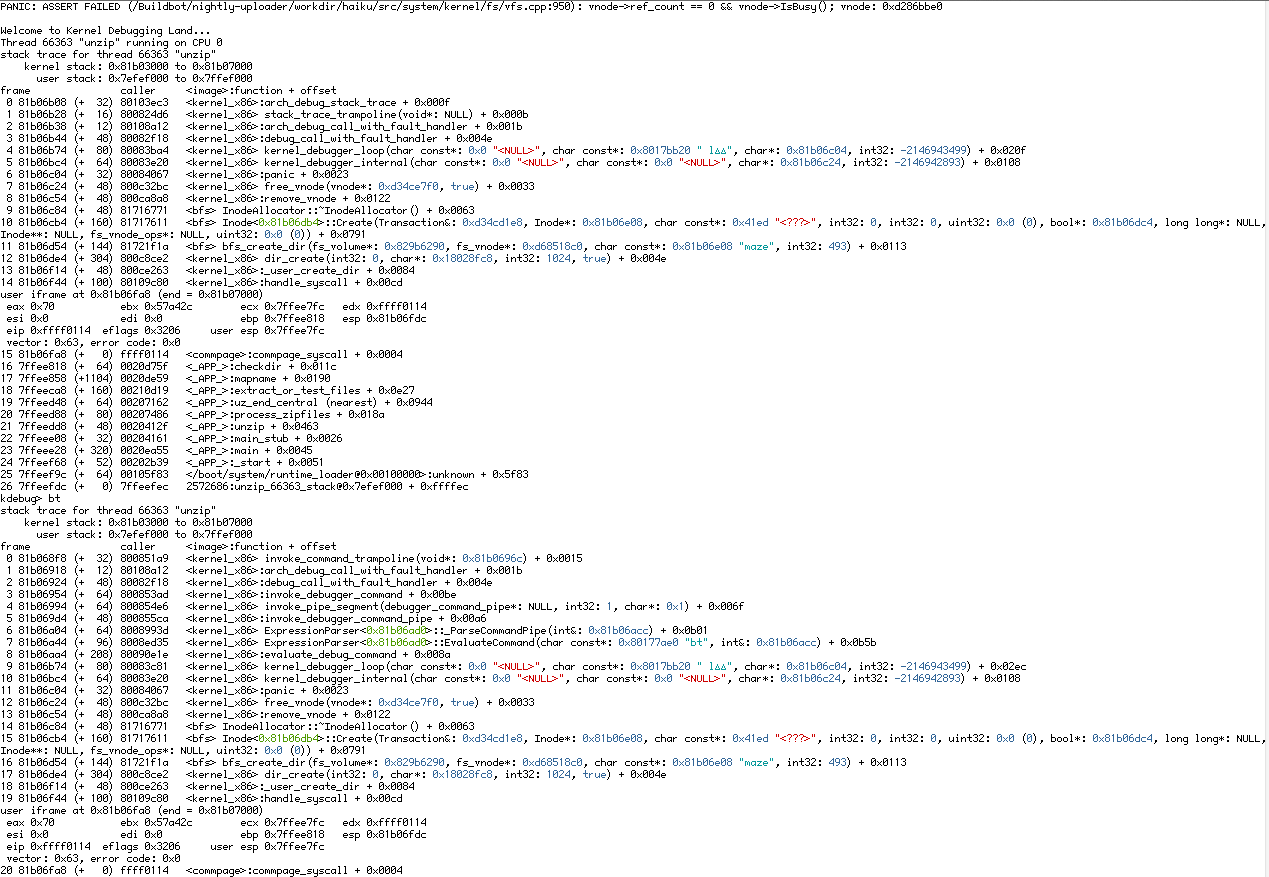
by , 12 years ago
Half of the KDL (screenshot taken while compiling BZFlag 2.4.0-svn)
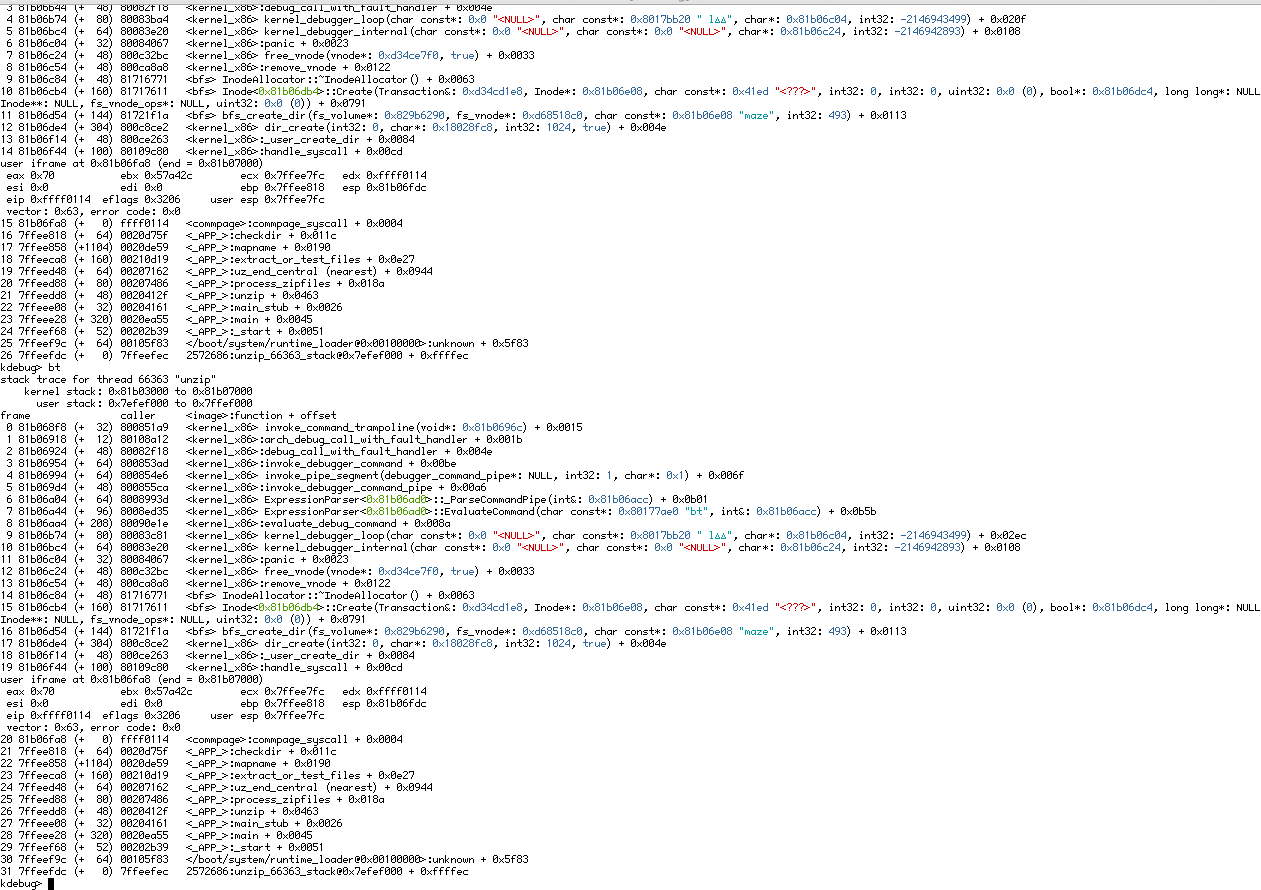
by , 12 years ago
Other Half of the KDL (screenshot taken while compiling BZFlag 2.4.0-svn)
comment:28 by , 12 years ago
See attached files "one.png" and "two.png". I experienced this KDL while compiling bzflag using the haiku nightly hrev43840
follow-up: 30 comment:29 by , 12 years ago
Please try this again post hrev43930. Axel made lots of improvements including enabling checkfs to perform more advanced repair operations such as fixing BTree's
comment:30 by , 12 years ago
Replying to kallisti5:
Please try this again post hrev43930. Axel made lots of improvements including enabling checkfs to perform more advanced repair operations such as fixing BTree's
The KDLs seen in the last few comments are duplicates of #3159. However, the underlying corruption issue that was originally highlighted in this ticket is most likely still present, as it's probably a bug in the block cache somewhere which hasn't yet been found. That checkfs might now be able to repair it doesn't resolve the ticket, as the issues being repaired shouldn't have occurred in the first place (except in the case of hardware/bad sector errors on the part of the disk).
comment:31 by , 12 years ago
| patch: | 0 → 1 |
|---|
comment:32 by , 12 years ago
| Blocking: | 8712 added |
|---|
comment:35 by , 11 years ago
| patch: | 1 → 0 |
|---|
comment:36 by , 11 years ago
| Blocking: | 9761 added |
|---|
comment:37 by , 11 years ago
I've had a similiar problem. I turned on my Laptop running hrev45369 and for the first time the bootloader stops and started KDL with "boot device not found", after the reboot command everythings started fine, and i did a checkfs /boot and it turned up with a real big amount of freed blocks something like 182398120938123092 Blocks could be freed. i saved it as text file, but next boot up it wasnt on Desktop anymore. Iam writing now from this installation and everthing works as expected. The last problems are with :
DeskCalc_settings (inode = 2112430), names don't match
panel:icon::02:class (inode = 3145727), has blocks already set
radeon_hd_bios_1002_9804_0.bin (inode = 2112430), has blocks already set, names don't match
        50559 nodes checked,
        0 blocks not allocated,
        66 blocks already set,
        0 blocks could be freed

        files           44154
        directories     4879
        attributes      1094
        attr. dirs      383
        indices         49

        direct block runs               48995 (8.26 GiB)
        indirect block runs             144 (in 10 array blocks, 1.09 GiB)
        double indirect block runs      0 (in 0 array blocks, 0 Bytes)
comment:38 by , 11 years ago
As reported here https://dev.haiku-os.org/ticket/9761 i have similar issues. In particular, often after reboot i notice that Tracker lose his settings, and after a checkfs, i can see that the file Tracker_Settings is corrupted. EDIT: this happen only on the boot volume. On another BeFS partition on the same disk (used for backup purpose) files corruption never happens.
comment:40 by , 10 years ago
comment:41 by , 10 years ago
@kallisti5: Neither is related to this ticket. The former issue is understood and tracked in #9839. In the latter case the kernel runs out of address space. I believe that isn't tracked anywhere yet, so please open a new ticket.
comment:43 by , 9 years ago
Looking again at what people have said in this ticket, I also suspect the block cache. I don't have a lot of time to try this out at the moment, but could this be happening when there is more than one BFS volume? Another thing to try is filesystem stress testing tools to see whether there are any reproducable panics, then try changing the volume sizes, numbers of volumes and rerunning the tools.
comment:45 by , 8 years ago
I think it would be worth trying to reproduce this issue inside a VM sitting on a ZFS partition and running a zpool scrub - to try to reproduce the problem in the absence of checksum errors on the underlying device.
comment:47 by , 6 years ago
To clarify, by referencing ZFS, I was only proposing a test case in order to rule out corruption of the underlying media. Since the host OS (any OS with ZFS that can run Haiku as a 32 bit guest) has verifiably non-corrupted data, the virtual disk file of Haiku sitting on top of it could be hit with various scenarios.
That way, if a trigger case is discovered where the data in the BeFS volume is showing symptoms of corruption, it would be possible to rule out physical corruption of the media as its cause.
Obviously it doesn't work for proving the reverse case, but it might be good enough to resolve the ticket.
comment:48 by , 6 years ago
Wouldn't it be possible to implement checksumming directly in BFS, at least at the inode level through meta data? Sector level checksumming would require a disk format change though I imagine. But perhaps that could be minimised to a backwards compatible method, like a reserved space at the end of the partition for checksums and otherwise being normal BFS that would be slow for HDDs but not a big deal for SSDs. Software Raid might be another tool to combat this. Even a software raid on the same media, would help combat individual bad sectors.
I've noticed this mostly after I reboot... which I would imagine means things are getting or don't have time to get flushed from the cache at shutdown. I have alot of files on my 20GB boot partition (haiku and freebsd checkout). A reason you wouldn't see this on secondary partitions is there probably aren't applications acessing that actively or running from it. Could it be something these specific applications are doing on shutdown that could be a clue.. it seems to happen very frequently with TrackerSettings tracker_shelf and the deskbar settings and other system application settings. But It happens more often after I have alot of files on the partition. If I leave the partition mostly empty with just a basic install...it doesn't seem to happen. I'd have to setup a couple machines that way and run for awhile to verify that though.
comment:49 by , 6 years ago
Some applications do write their settings on exit, so indeed that may be a problem. If we don't shut down the drive cleanly, and just cut the power without warning, it may not have time to flush its internal caches to permanent storage (especially as modern drives have large caches).
So, lots of write activity (leaving lots of data staging in the cache) and then an improper shutdown sequence may be a possibility.
Checksumming sectors wouldn't help in that case, because each sector individually is ok. The problem is whole sectors not getting written to actual disk at all.
comment:50 by , 6 years ago
If this is known to be the cause of 3150, would it be better to use an ordered write log or some such (as in UFS+Softupdates)? Some data would be lost in those cases, but corruption should not result. Assuming it is possible...
comment:51 by , 6 years ago
The filesystem is already journalized. The problem lies not in our own caches (we flush these when unmounting the disk), but in on-disk caches which we should tell the disk to write back to actual storage before shutting down. This was not much of a problem a few years ago, but now a disk can hold a dozen megabytes worth of data in cache, so this can be easier to notice.
comment:52 by , 6 years ago
Well if that is what it is, I'm noticing it on a nowadays measly 160Gb drive (8MB cache)... I imagine it could get quite bad on new drives with 256MB+ caches, or SSDs with multi GB dram buffers.
If this is as simple as flushing the drive cache shouldn't this be a Beta blocker... since it causes easy to reproduce corruption. I mean this could be as simple as ensuring that sync gets ran as the last task. Linux generally does this thing where it syncs and remounts read only to continue shutdown.
comment:53 by , 6 years ago
If the disk cache is not battery backed and BFS is using the cache - and not (edit: 'is') fsync'ing on unmount, then surely it would only be an unclean shutdown that could cause this.
Unless of course the system shutdown completes on another thread before such time as the disk driver has had a chance to fsync/sync... or maybe there's a need for an F_FULLFSYNC
comment:54 by , 6 years ago
fsync is meant to flush whatever is in RAM to the disk. We already do this on unmount, of course. What may be missing, is telling the disk that it should flush its own internal caches to persistent storage, before we cut the power on it. At least, the worrying click some old HDD make when you shut down Haiku makes me think there is something missing in that area.
But I don't know what the commands to send would be, and wether it will actually fix the problem we see here.
comment:55 by , 6 years ago
Mine definitely does that the click on shutdown... It's a SATA disk.
https://utcc.utoronto.ca/~cks/space/blog/linux/ForceDiskFlushes
So.. there should be a SYNCHRONIZE_CACHE at the SCSI layer and everything below that should be translating it into the correct command. I guess this should technically occur whenever it is unmounted and not just shutdown.
comment:56 by , 6 years ago
I wasn't very coherent above -
It sounds like cb88 is onto the right track, and that's sort of what I was trying to suggest by mentioning F_FULLFSYNC, which is a flag on Mac OS X's fsync() to instruct the disk to write out its cash before spin down.
Assuming that Haiku's fsync already does this on umount, the next question is, does the disk always have the time to unmount (and thus call fsync, including writing out the cache) on system restart / shutdown - if not, it could be that, too. I seem to remember though, the shutdown process was reworked so maybe it already does synchronize correctly at that point and it's just the write cache not being told to flush to disk.
comment:57 by , 6 years ago
| Blocking: | 14409 added |
|---|
comment:58 by , 6 years ago
The ATADevice does have a mechanism to flush the caches: http://xref.plausible.coop/source/xref/haiku/src/add-ons/kernel/bus_managers/ata/ATADevice.cpp#58
AHCI (SATA) does also: http://xref.plausible.coop/source/xref/haiku/src/add-ons/kernel/busses/scsi/ahci/ahci_port.cpp#ScsiSynchronizeCache
It seems this is only triggered outside these files in "scsi_periph" (http://xref.plausible.coop/source/xref/haiku/src/add-ons/kernel/generic/scsi_periph/sync.cpp#36). The ATADevice calls Synchronize in SCSI_OP_START_STOP; AHCIPort does not even handle that opcode. Maybe that is the problem?
comment:59 by , 6 years ago
Ah, it seems this is also called through from http://xref.plausible.coop/source/xref/haiku/src/add-ons/kernel/drivers/disk/scsi/scsi_disk/scsi_disk.cpp#415 and BFS even runs this ioctl itself: http://xref.plausible.coop/source/xref/haiku/src/add-ons/kernel/file_systems/bfs/Journal.cpp#881
So that should be fine, unless I've missed something.
comment:60 by , 6 years ago
Yeah but does the drive actually have time to do it before power is cut that's the question.
Perhaps it could work by syncing the cache then asking the drive to spin down....then polling the drive status to ensure that it has before shutting down.
comment:61 by , 6 years ago
It might be possible to output a confirmation via serial console at the point the cache write happens, then write another confirmation at the point the power would be cut (but then not actually cut the power) so as to view the absence/presence of the former and/or how much time has passed between the cache write opcode being issued and the moment that the system would have been powered down. I would try this myself but am on a work project deadline at the moment.
comment:62 by , 6 years ago
OK, so, it turns out we were not flushing the disk write cache after synchronizing the block cache and other data, so we now do that as of hrev52334. Everyone who had regular FS corruption, please upgrade to that version and see if anything changes.
comment:63 by , 5 years ago
| Resolution: | → fixed |
|---|---|
| Status: | new → closed |
I have not heard any reports of disk corruption (aside from KDLs of course, tracked separately) since then, so I think this is actually fixed (!!).
comment:64 by , 4 years ago
| Milestone: | R1 → R1/beta2 |
|---|
Assign tickets with status=closed and resolution=fixed within the R1/beta2 development window to the R1/beta2 Milestone



Can you do a "ls -i" to see the inode number of that directory? The "blocks already set" problem can only show the second (or third, ...) claimer of the block.