


Opened 17 years ago
Closed 15 years ago
#1444 closed bug (fixed)
SATA testing on real hardware - fails to boot
| Reported by: | scottmc | Owned by: | marcusoverhagen |
|---|---|---|---|
| Priority: | blocker | Milestone: | R1 |
| Component: | Drivers/Disk | Version: | R1/pre-alpha1 |
| Keywords: | Cc: | ||
| Blocked By: | Blocking: | ||
| Platform: | x86 |
Description
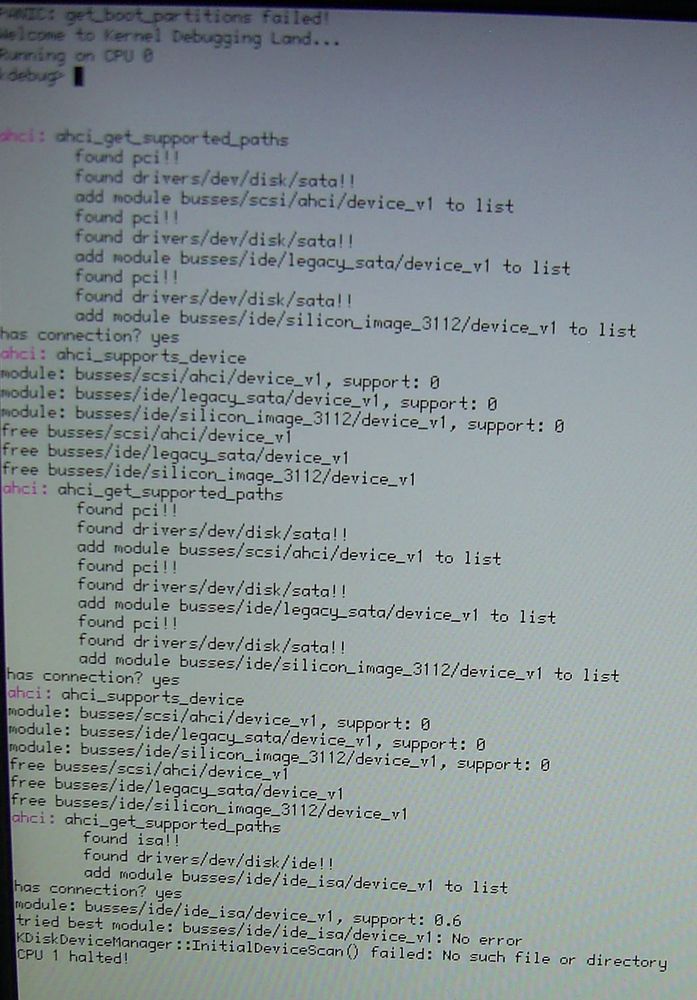
Ok, got hrev22129 running on one PATA based laptop, took that harddrive out and slide into next generation of that same style of laptop but the newer has SATA interface, although it must have a 44pin to SATA converter since the drive is a 44pin one. Anyways, tried booting up and it locked up on the black HAIKU screen. So tried again this time hittng space bar and selecting all of the safe mode options, then continued. It stopped with lots of text on the screen. Screenshot attached. It seems to detect the SATA and load but doesn't boot up all the way still. If further details are needed just instruct me on what to try. Version is hrev22129 i think.
Attachments (16)
Change History (63)
by , 17 years ago
| Attachment: | mx7118-sata.jpg added |
|---|
by , 17 years ago
| Attachment: | MX7118-lshw.txt added |
|---|
follow-up: 2 comment:1 by , 17 years ago
comment:2 by , 17 years ago
| Summary: | SATA testing on real hardward - fails to boot → SATA testing on real hardware - fails to boot |
|---|
comment:3 by , 17 years ago
| Component: | Drivers → Drivers/Disk |
|---|
follow-ups: 5 6 comment:4 by , 17 years ago
Can you capture serial debug output? The screenshot isn't very useful.
comment:5 by , 17 years ago
Replying to marcusoverhagen:
Can you capture serial debug output? The screenshot isn't very useful.
That laptop doesn't have a serial port on it. Perhaps if there was also support for USB serial adapters during the boot sequence, such as the keyspan USA-19HS, I could try using one of those...
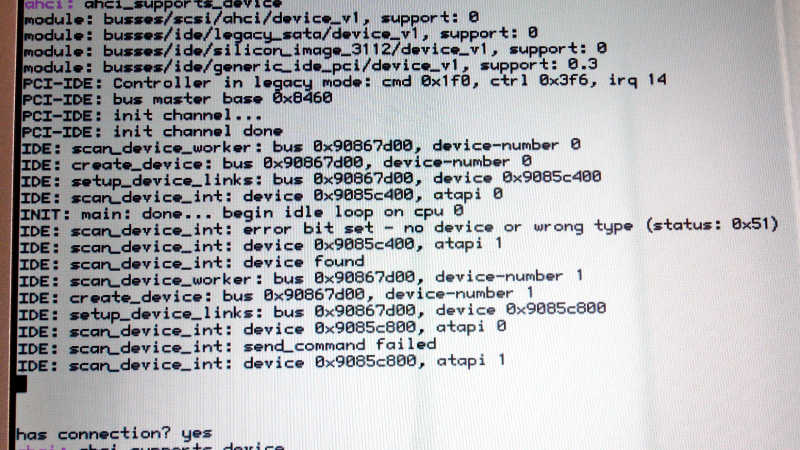
Maybe I will try shooting a video of the boot up and then play it back frame by frame and type it in by hand. Or grab screencaps of the important parts since there's a lot the flashes by.
comment:6 by , 17 years ago
Replying to marcusoverhagen:
Can you capture serial debug output? The screenshot isn't very useful.
Ok, so the Gateway MX7118 and eMachines M6805 laptops use the same case, so the hard drive case is interchangable between them. Since I have Haiku on the M6805 I deleted the syslog file and then put the drive into the MX7118 and tried to boot it with screen debug enabled. Once it got to the point where it hangs I shut it off and put the drive back in the M6805 and booted up and copied the syslog file. It's attached. I'm not sure if it's all from the MX7118 or the some from both. I used the one marked syslog.old, I assume thats from the previous boot attempt as I had deleted both the syslog and syslog.old files before booting on the MX7118. I have attached it here, hopefully this is more useful than that screenshot was. I see there's a lot of FireWire stuff in the syslog now. Yes both the M6805 and MX7118 have FireWire so that is decting correctly and I was even able to grab DV from my camera on the M6805 tonight and save to a file.
by , 17 years ago
| Attachment: | MX7118-syslog.zip added |
|---|
zip file of the MX7118 syslog boot up attempt
comment:7 by , 17 years ago
| Cc: | added |
|---|
comment:8 by , 17 years ago
| Platform: | All → x86 |
|---|
I'm not sure if i should start new bug report or not, so, just in case, i'll add info here for now.
I tried to boot Haiku (hrev22750) on laptop (it's benq joybook p52s, but AFAIK they come in various configurations) which has ATI SATA controller, and it also doesn't boot.
Unfortunetly i have no way to get serial output. Please let me know if i can give You some additional info.
comment:9 by , 17 years ago
Hi, Stefano helped me modify debug output so i made it wait for ENTER each time debug starts from top of screen (so kinda paging-like feature). Thanks to that i made photo session of whole debug output :). Can i attach it here? I made photos in grayscale, cropped and resized, and packed with 7z, but it weights over 3MB anyway.
Things i noticed:
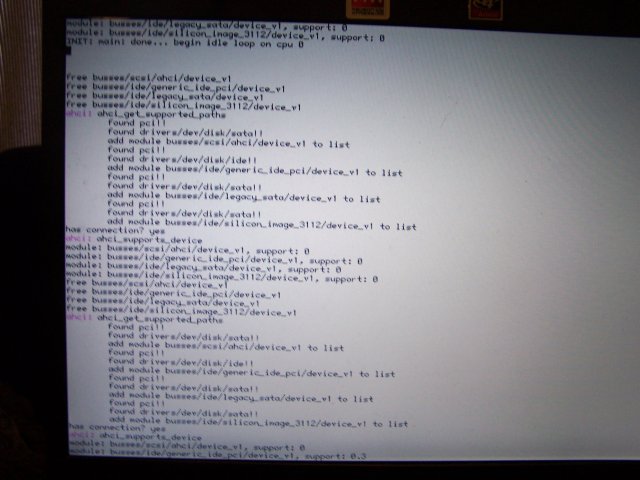
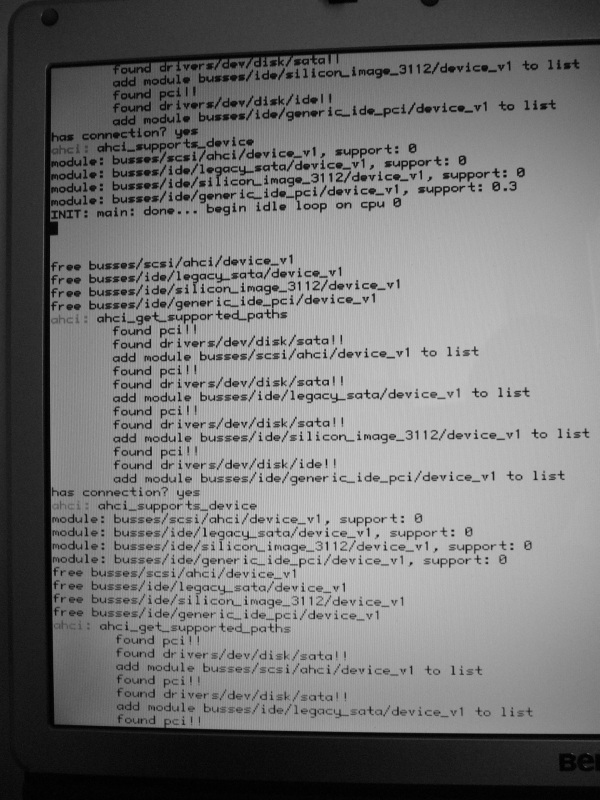
- disk modules (SATA, generic_id, etc... there are 4 of them IIRC) are loaded and tried 12 times. I have 12 partitions, so it looks like they are loaded for each partition. Isn't it strange? I thought module handles whole disk, and partitions are handled by file systems?
- every time module is tried it returns "support: 0". Until last time, when generic_ide outputs "support: 0.3".
- after that debug outputs: "INIT: main: done... begin idle loop on cpu 0" and nothing happens. It just stays like that until i get bored and reboot ;).
Like i wrote above, i have 12 partitions. Haiku is on second partition (known as /dev/sda2 on Ubuntu linux).
Please let me know if i can attach set of photos here.
follow-up: 13 comment:10 by , 17 years ago
I think it's ok to attach the photos. But I'd also like that patch to make the console output wait for return to keep going. I think that's useful. Certainly as an option.
by , 17 years ago
| Attachment: | benq_joybook_p52s_photosession_part1.zip added |
|---|
Part one of debug output of boot process photo session
by , 17 years ago
| Attachment: | benq_joybook_p52s_photosession_part2.zip added |
|---|
Part two of debug output of boot process photo session
by , 17 years ago
| Attachment: | benq_joybook_p52s_photosession_part3.zip added |
|---|
Part three of debug output of boot process photo session
by , 17 years ago
| Attachment: | benq_joybook_p52s_photosession_part4.zip added |
|---|
Part four (and last) of debug output of boot process photo session
comment:11 by , 17 years ago
OK, i attached zip files with photos. I'm sorry i had to split it to four archives, but TRAC was rejecting one big file (500000 bytes limit). I converted files to lower quality jpgs, but they shoul d still be readable :).
As for patch, i already sent it to Stefano - he said he will see if it can be applied in some form to SVN code. Should i attach it here too (it's kinda hacky, and ugly compared to the clean code of blue_screen.cpp :)?
by , 17 years ago
| Attachment: | blue_screen.diff added |
|---|
Make debug output wait for ENTER each time screen goes for "new page" of data
comment:12 by , 17 years ago
OK, i attached hack here too :)
Usage:
- hit ENTER to let it continue until next "page" (of screen size) is full.
- hit "q" to make it continue without stopping again.
comment:13 by , 17 years ago
Replying to stippi:
I think it's ok to attach the photos. But I'd also like that patch to make the console output wait for return to keep going. I think that's useful. Certainly as an option.
This would be great to have as an option in the bootup menu, perhaps right next to the enable on-screen debug. If/when this is added I would be able to further debug the PC that started this ticket.
comment:14 by , 16 years ago
I noticed some changes in SVN done by Marcus Overhagen (like added ID numbers, some of which were described as ATI) so i did quick test again, and... nothing has changed :( Unfortunately it (hrev22909) still gives the same results.
comment:15 by , 16 years ago
My friend has PC (chipset i965, ICH8) with both SATA and PATA disks. Haiku didn't boot for him when SATA was connected, but after disconnecting it (only PATA disk was connected) Haiku was booting fine. But now even that doesn't work (Haiku doesn't boot even on PC with only PATA disk connected).
He was testing it 12 days ago (so after last SATA changes were committed).
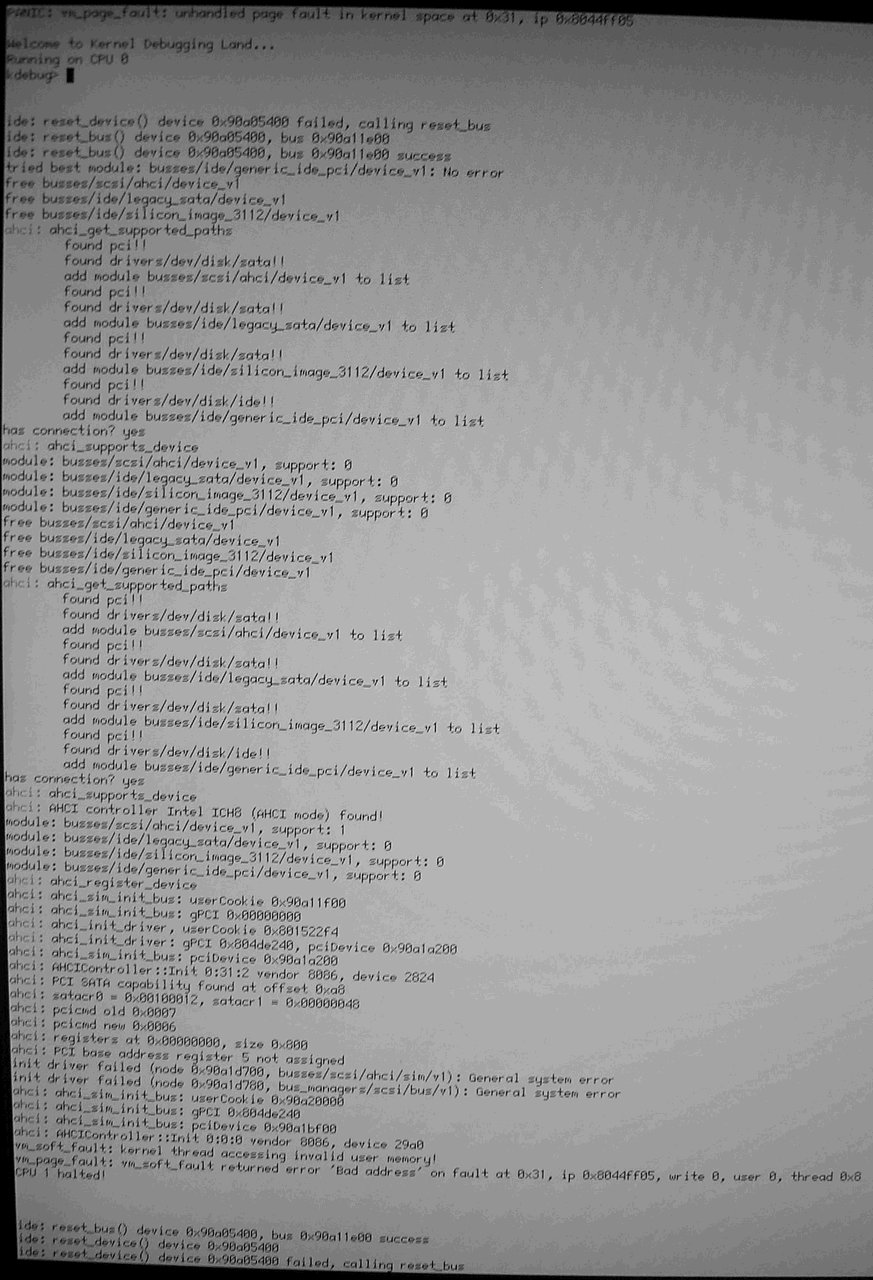
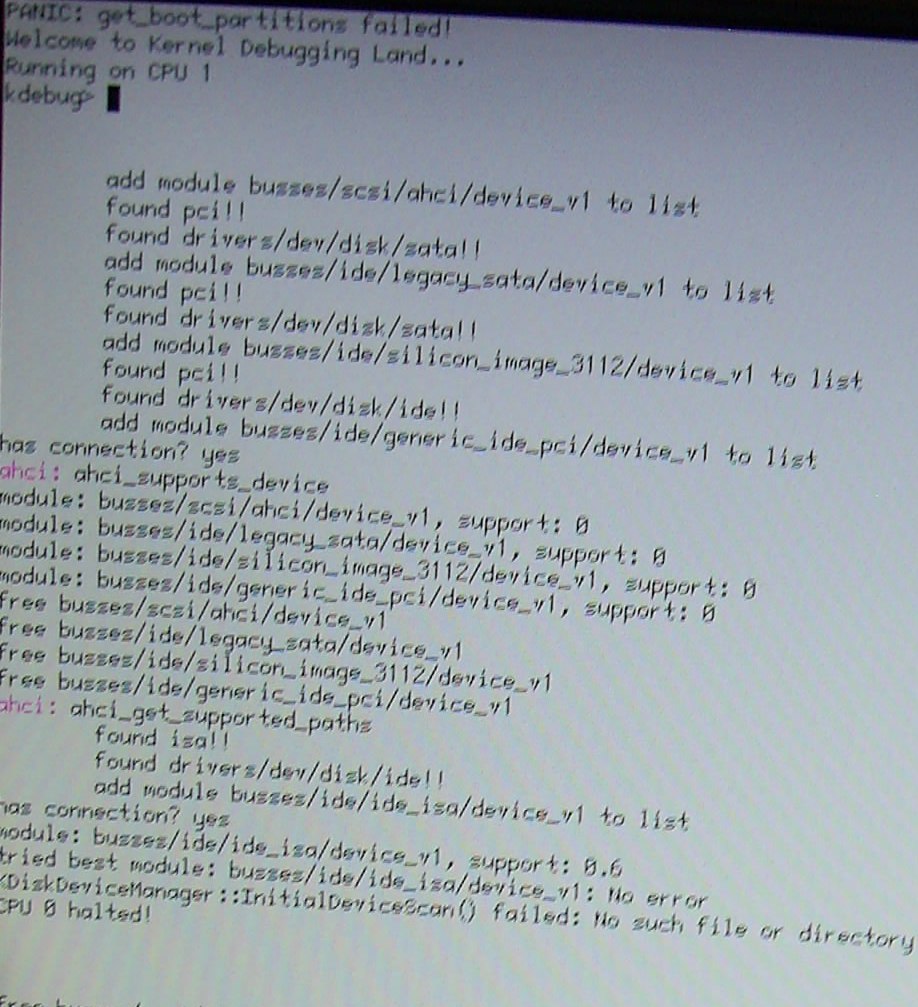
After getting "Panic: get_boot_partitions failed" message he uses "exit" command. That gives him "did not find any boot partitions" message, and after next exit it shows "could not mount boot device" message.
I'm attaching screen photo with debug information.
comment:17 by , 16 years ago
I think the problem could be caused by the new "pci_fixup" stuff. In src/add-ons/kernel/bus_managers/pci/pci_fixup.cpp, you could try inserting a "return;" at the top of the pci_fixup_device function (around line 122). Does that help?
comment:18 by , 16 years ago
Thanks for help stippi. I made new image, and friend tested it. Infortunately it didn't help (but he says that error messages were a bit different). I'm attaching new screen photo.
by , 16 years ago
| Attachment: | i965-after-fix-from-stippi.jpg added |
|---|
Debug info after fix proposed by stippi.
comment:19 by , 16 years ago
What happens if the driver "generic_ide_pci" is not present on the image? (/boot/beos/system/add-ons/kernel/busses/ide) (though it likely doesn't help with PATA booting...)
by , 16 years ago
| Attachment: | i965-stippi-fix-removed-generic-pci-ide.jpg added |
|---|
Debug info from image with fix from stippi and removed generic_pci_ide.
comment:21 by , 16 years ago
Have you tried to remove the AHCI driver completely? That's what I need to do to let Haiku run in a PATA setup (i965+JMicron PATA chipset).
comment:22 by , 16 years ago
Axel, after disconnecting SATA disk he tried what You wrote (he actually has the same configuration as You) and more. He started removing files and booting after each delete:
- busses/scsi/ahci & link to it
- busses/ide/legacy_sata & link to it
- busses/ide/silicon_image & link to it
- busses/ide/ide_isa & link to it
- busses/ide/generic_ide_pci & link to it
Effect was the same :(. I'll ask if he was using version with fix from stippi at the same time, probably yes.
And a bit different subject: do i need specific driver for ATI chipset? or is it handled "automatically" by ahci or legacy_sata?
comment:23 by , 16 years ago
OK, he was testing removing drivers on version without fix from stippi. Should he try with that fix too?
Also he will register and write comments here, so there's no chance for me to mess up any more information :).
comment:25 by , 16 years ago
Replying to axeld:
Removing the fixup is needed on my hardware.
It's better now - (with fix and removed sata and legacy_sata drivers) booting is crossing over disk detection (but I still must to disconnect my SATA disk before) but after that hangs at: via init_hardware() failed: General system error (my chipset is i965).
comment:26 by , 16 years ago
Just an update, as of hrev23050 the original bug reported here is still the same, the m7118 laptop still stops booting at the same place as shown in the screenshot picture attached above. I'll keep checking it whenever I noticed any progress on the SATA or other boot related code.
comment:27 by , 16 years ago
Ubuntu uses sata_sil driver for "4379 Serial ATA Controller" here. Driver can be viewed here: http://lxr.linux.no/linux+v2.6.23.9/drivers/ata/sata_sil.c
Can someone point me to some docs, or files which will show me how to port that driver? :) Or maybe it is not needed, and i just should add some ID somewhere? In /trunk/src/add-ons/kernel/busses/scsi/ahci.c there are some IDs for ATI, but none for the one i have here (at least according to info from Ubuntu) - 0x4379. Should i add that ID to file and test it? Will it turn my computer into unusable piece of toxic waste? :)
comment:28 by , 16 years ago
| Cc: | added; removed |
|---|---|
| Owner: | changed from to |
follow-up: 30 comment:29 by , 16 years ago
You need to know if your SATA controller is in fact an AHCI controller. Otherwise Marcus' driver is not responsible for it. We do have legacy SATA drivers in our repository. Maybe you need to look at those to follow their example when trying to port that Linux driver.
comment:30 by , 16 years ago
Replying to stippi:
You need to know if your SATA controller is in fact an AHCI controller.
Thanks :). How can i check that?
We do have legacy SATA drivers in our repository.
Will i damage hardware if i'll try to add ID to /src/add-ons/kernel/busses/ide/legacy_sata.c file and it will not handle it properly? I see that there is some additional code for specific chipsets there, so probably just adding ID will not be enough, but i'd like to try it if i can be sure i will not have to buy new computer soon after :).
comment:31 by , 16 years ago
hmm... my chipset is already mentioned in /src/add-ons/kernel/busses/ide/silicon_image_3113.c driver, so maybe problem is somewhere else? :(
comment:32 by , 16 years ago
Maybe i will rephrase my questions:
- If i'll add ID to /trunk/src/add-ons/kernel/busses/scsi/ahci.c is there any chance that my computer burns in flames (or just looses all data)?
- If it's /src/add-ons/kernel/busses/ide/silicon_image_3113.c which handles my chipset, what can be wrong with it? Or where else can problem be located? Where can i add some debug lines to locate that problem?
- Is there any documentation (except for reading whole source code :) on how all ide related things work on Haiku, so i can try to find answers myself (and don't waste Your time)?
Currently booting process always ends like it can be seen on http://dev.haiku-os.org/attachment/ticket/1444/benq_joybook_p52s-screen.jpg
Drivers always return "0" (not supported?) for every partition on disk, except for last one, when generic_ide_pci returns 0.3 (i have no ide why, it's the same disk for all partitions).
I'm sorry if i keep asking stupid questions - i just know nothing about such "core" things and i would like to have Haiku running here natively (and help testing it :).
comment:33 by , 16 years ago
| Status: | new → assigned |
|---|
Please, this bug report has turned into a mess, stop adding data. I'll analyze this further during the next weekend.
comment:34 by , 16 years ago
Summary:
mx7118-sata.jpg
seems to freeze at INIT: main: done
MX7118-lshw.txt
product: Standard Dual Channel PCI IDE Controller ATI vendor: ATI Technologies Inc configuration: driver=ATIIXP_IDE
MX7118-syslog.zip
vendor 1106: VIA Technologies, Inc. device 0571: VT82C586A/B/VT82C686/A/B/VT823x/A/C PIPC Bus Master IDE info: Mass storage controller (IDE interface) line_size 00, latency 40, header_type 00, BIST 00 ROM base host 00000000, pci 00000000, size 00000000 cardbus_CIS 00000000, subsystem_id 2032, subsystem_vendor_id 161f interrupt_line 00, interrupt_pin 01, min_grant 00, max_latency 00 base reg 0: host 00000000, pci 00000000, size 00000000, flags 00 base reg 1: host 00000000, pci 00000000, size 00000000, flags 00 base reg 2: host 00000000, pci 00000000, size 00000000, flags 00 base reg 3: host 00000000, pci 00000000, size 00000000, flags 00 base reg 4: host 00001ce0, pci 00001ce0, size 00000010, flags 01 base reg 5: host 00000000, pci 00000000, size 00000000, flags 00
benq_joybook_p52s-lshw.txt
*-ide:0 description: IDE interface product: 4379 Serial ATA Controller vendor: ATI Technologies Inc configuration: driver=sata_sil latency=64 module=sata_sil
*-ide:1 description: IDE interface product: Standard Dual Channel PCI IDE Controller vendor: ATI Technologies Inc physical id: 14.1 configuration: driver=ATIIXP_IDE latency=0 module=atiixp *-cdrom product: Optiarc DVD RW AD-7530A
benq_joybook_p52s-screen.jpg
seems to freeze at INIT: main: done
benq_joybook_p52s_photosession_part2.zip
image 9: vendor 1002, device 4379, ATI Serial ATA Controller interrupt a bar 0 addr 8440, size 10, flags 9 bar 1 addr 8430, size 10, flags d bar 2 addr 8420, size 10, flags 9 bar 3 addr 8410, size 10, flags d bar 4 addr 8400, size 10, flags 1 bar 5 addr c0004000, size 200, flags 0
image 10: vendor 1002, device 4376, ATI Standard Dual Channel PCI IDE controller interrupt ff bar 0 addr 1f0, size 10, flags 9 bar 1 addr 3f0, size 10, flags d bar 2 addr 0, size 10, flags 9 bar 3 addr 0, size 10, flags d bar 4 addr 8460, size 10, flags 1 bar 5 addr 0, size 0, flags 0
image 22: generic_ide_pci seems to support one device
i956-ICH8.jpg
page fault in ahci driver
i965-after-fix-from-stippi.jpg
not much visible, ide_isa seems to support one device
i965-stippi-fix-removed-generic-pci-ide.jpg
ide_isa seems to support one device
by , 16 years ago
| Attachment: | benq_joybook_p52s_r23150.jpg added |
|---|
Benq_joybook_p52s after more debug in hrev23150
comment:35 by , 16 years ago
Thanks for checking it and adding some changes Marcus. Now i get a little bit more debug info on screen, so i thought You might want to know about it. I've attached new photo of debug screen from hrev23150. I hope it can help :).
comment:36 by , 16 years ago
Still not booting on my mx7118 Gateway laptop. I've attached a screenshot showing the last 7 screens before it halts. Note that it stops on the hard drive icon when not selecting on-screen debug info. Thanks for adding in the pause after each screen, sure helps in taking screenshots. Sorry for the blurry pics, if you need info from one of the blurry ones just let me know and I can try taking new ones. Hopefully you'll see a red flag here. Let me know if there's anything else you'd like me to try.
by , 16 years ago
| Attachment: | mx7118-Haiku-Boot-Issue-7-screens-b.png added |
|---|
last 7 screens of mx7118 booting up and halting. Reduced colors and image size to fit under 500kb limit. If better pic is needed just let me know
follow-up: 38 comment:37 by , 16 years ago
Is "IDE: scan_device_int: waiting 100ms..." the last line that gets printed before booting stops?
comment:38 by , 16 years ago
Replying to marcusoverhagen:
Is "IDE: scan_device_int: waiting 100ms..." the last line that gets printed before booting stops?
Yes. And it just sits there...
comment:39 by , 16 years ago
Any progress on this one? If I were to try using the alternate IDE driver where would that be located? I have a build system setup and can make the changes, just let me know what to try out.
comment:40 by , 16 years ago
| Cc: | removed |
|---|
(removing axel from cc since he gets duplicates that way)
I've successfully used the ata bus manager in place of ide to fix my SATA boot issues:
In order to switch to the replacement "ata" bus manager rather than the "ide" - you go into src/add-ons/kernel/bus_managers/Jamfile and change where it specifies "ide" to "ata" in the SubInclude's.
Since the jam target is the same name, nothing else needs to change and you can just rebuild the haiku image to have the "ata" replace the old one.
It is slower (only supports PIO mode currently), and doesn't seem to support ATAPI devices yet (so, no CDROMs) - but it does seem to fix several problems where SATA doesn't work.
Note: sometimes you do have to wait a while for it to work still - it might appear to be hung, but mine usually works within 30-60 seconds.
comment:41 by , 16 years ago
Same problem here with Asus P5GC-MX and sata hdd. Changing ide to ata "fixes" the problem, but now Haiku boots about 2 minutes.
by , 16 years ago
| Attachment: | listdev-7118mx.txt added |
|---|
Here's a listdev of the Gateway 7118MX with the ata driver installed
comment:42 by , 16 years ago
I finally managed to build haiku to a partition and enabled the ata driver, this then allowed the Gateway 7118MX laptop to fully boot, and I am writing this from that laptop in Haiku. Perhaps there could be a menu option to switch between the ata and ide in the bootup debug menu? That could be a short term fix for this issue.
comment:43 by , 16 years ago
| Milestone: | R1 → R1/alpha1 |
|---|---|
| Priority: | normal → blocker |
Move this ticket up for alpha 1, since that will ship the ata driver by default.
comment:44 by , 16 years ago
Looking through this bug it seems that most of the affected hardware is from ATI. Probably those are actually caused by bug #2342.
comment:45 by , 15 years ago
I just tried hrev28680 with ide enabled on the mx7118 gateway laptop that this ticket was first written for, and it's working without any issues. So it now works with either the ide or ata driver. -scottmc
comment:46 by , 15 years ago
| Milestone: | R1/alpha1 → R1 |
|---|
I think that tickets about Haiku not working on specific hardware should not be in the R1/alpha milestone, because there are great chances of always finding some specific hardware that Haiku does not boot on. The hardware for which this ticket has been initially posted for actually works now. Other hardware does not. I believe that only issues which affect all hardware should be in R1/alpha. Like for example missing ATAPI support in the new ATA bus manager. But it's not clear right now if we really go with that driver, since work on it is currently on hold.
comment:47 by , 15 years ago
| Resolution: | → fixed |
|---|---|
| Status: | assigned → closed |
Well seeing as how many of the open ATA tickets have been addressed, and this ticket was originally opened due to SATA not booting on the very laptop that I am writing this on (now in Haiku), i'm closing this ticket. If you still have ATA booting issues find a new ticket, as this one is DONE. Nice work Marcus, mmlr and any others who helped get this working.










Added lshw output from same PC running Ubuntu.