


#2599 closed bug (fixed)
Virtual Box networking detected, not working
| Reported by: | kvdman | Owned by: | axeld |
|---|---|---|---|
| Priority: | normal | Milestone: | R1 |
| Component: | Drivers/Network/pcnet | Version: | R1/Development |
| Keywords: | Cc: | ||
| Blocked By: | Blocking: | ||
| Platform: | All |
Description
I've had several people ask me if networking was supported under Virtual Box's emulation, including one GSOC student.
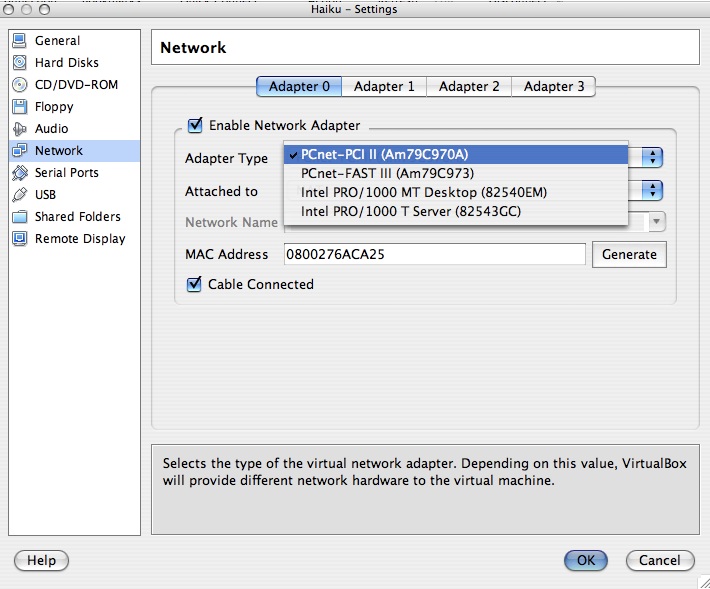
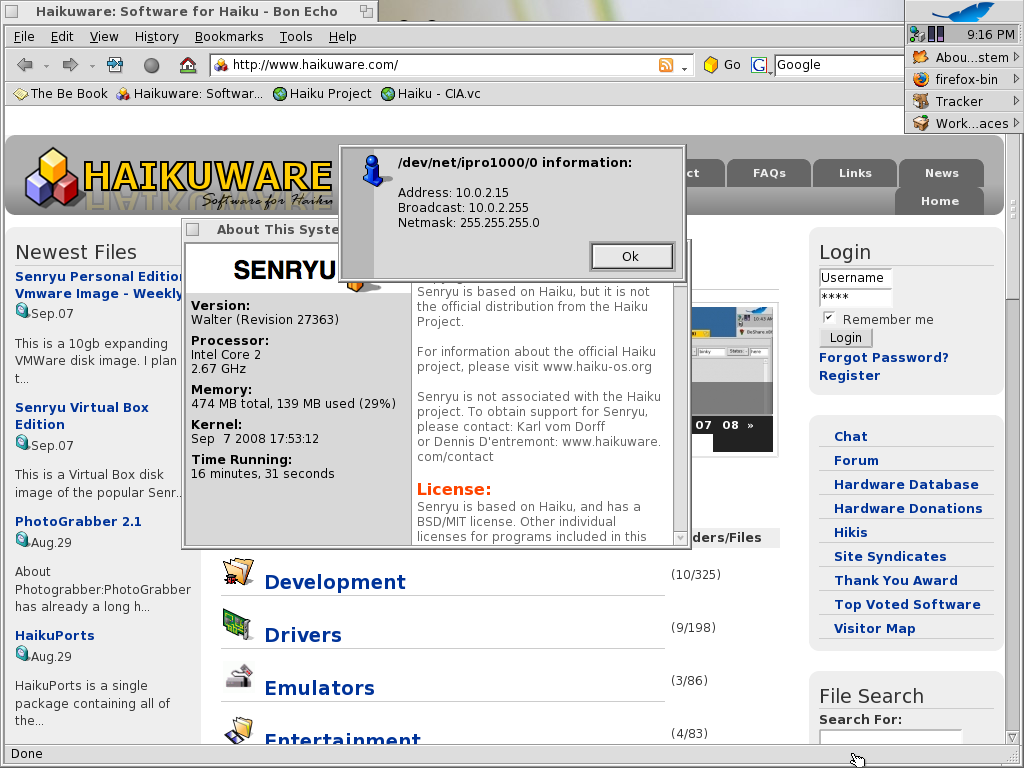
I am testing Virtual Box 1.6.4 on OSX with Haiku hrev26917. I was excited to see some patches made against the RealTek network driver, and it seems Virtual Box emulated a RealTek card in 1.5.? but now they emulate four different cards see Screenshot 2
PCnet-PCI II (Am79C970A) PCnet-Fast III (Am79C793) Intel PRO/1000 MT Desktop (82540EM) Intel PRO/1000 T Server (82543GC)
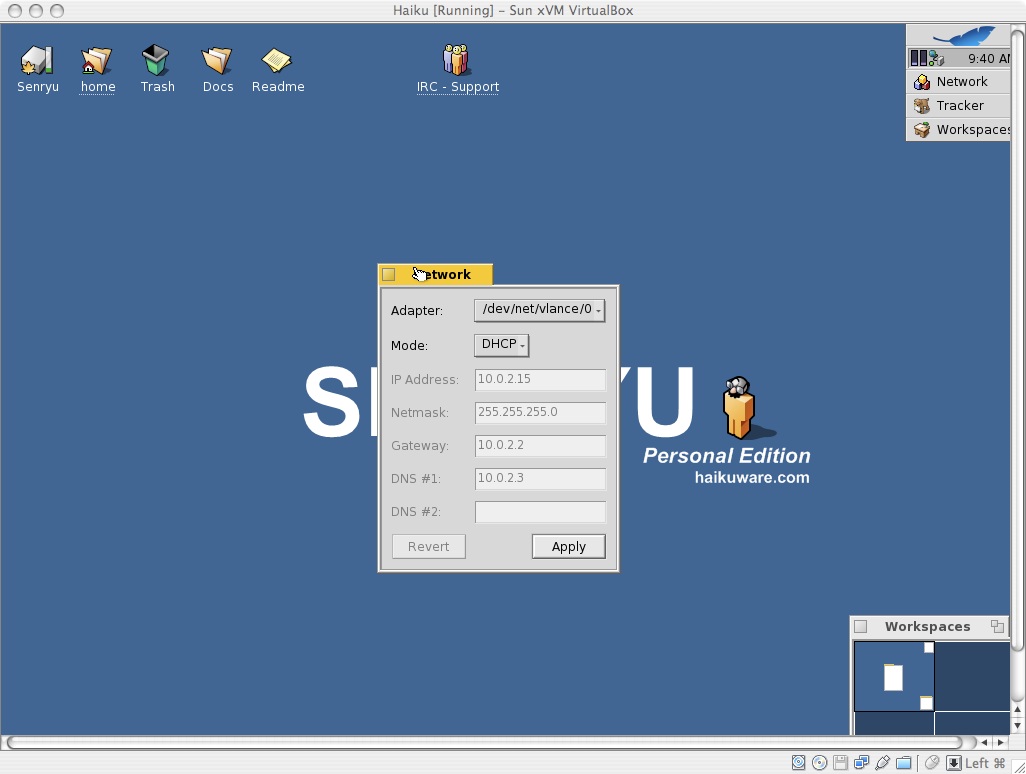
When the first two cards are chosen, Haiku will fall back and detect the Vlance driver (using Senryu to test).
http://www.haikuware.com/view-details/development/app-installation/senryu-virtual-box-edition
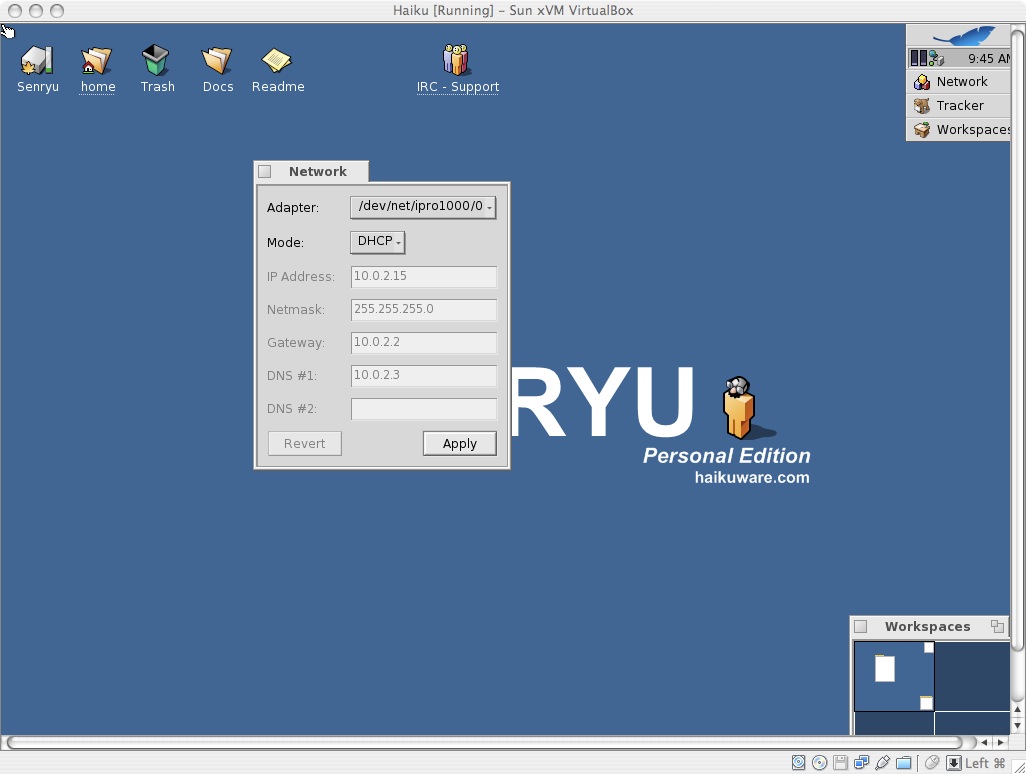
When the Intel cards are chosen, they will be detected.
Network preferences shows the same results for acquiring the network address with DHCP (kind of wonky)... See shots 1 & 3.
If you try static IP using you network info, networking also fails...
Attachments (5)
Change History (13)
by , 16 years ago
by , 16 years ago
by , 16 years ago
comment:1 by , 16 years ago
by , 16 years ago
| Attachment: | intelpro.png added |
|---|
comment:2 by , 16 years ago
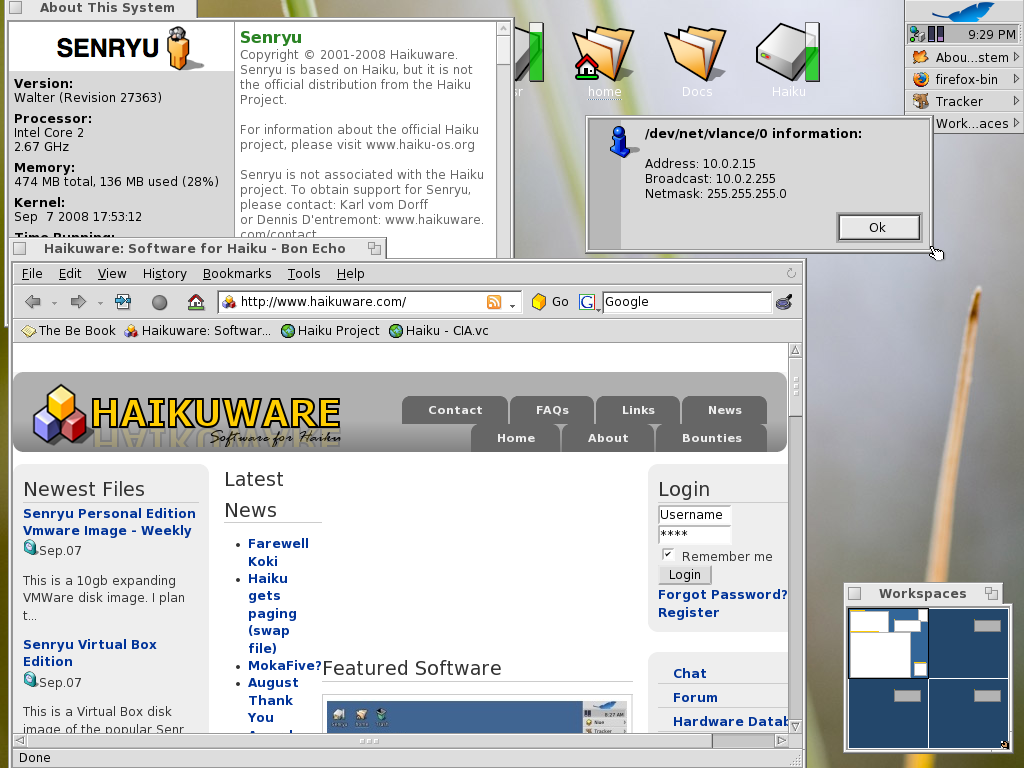
vlance works fine for me running Senryu(hrev27363) under VirtualBox (1.6.0), but I had this problem in the past, where I would have networking cut out on me and not work -or not work from boot- 'till I had restarted VirtualBox.
I haven't tested both R27363 and the intelpro driver enough to know if its come right yet.
The weird thing is that DHCP sets my lan IP to something not at all in my private IP address range.
screenshots to follow
comment:3 by , 16 years ago
Please close this. An updated Virtualbox seems to have alleviated the problem (2.0.2).
More info here:
http://www.haikuware.com/20080914237/virtual-box-update-fixes-networking
comment:5 by , 16 years ago
| Component: | Network & Internet/Stack → Drivers/Network |
|---|
If you are now using a different network chip in VirtualBox, the problem isn't really gone, but can at least easily be worked around.
However, if there is an actual problem with this driver, than we should fix it, as it is used on real hardware as well.
comment:6 by , 16 years ago
The chipset is the same.
I'm having results similar to richienyhus now.
With version 1.6.0 of Virtual Box, there was only one configuration option for networking 'attached to NAT'. Networking wouldn't work at all, and gave results for the IP like in intelpro.jpg.
In 2.0.2, networking works in attached to NAT mode, but resolves the IP in intelpro.jpg. There's new configuration options now for the network besides attached to NAT. Those are 'host interface', and 'internal network'. I found at least host interface works correctly.
comment:7 by , 6 years ago
running in a virtualbox vm with PCnet-FAST III and haiku-nightly-hrev52098-x86_64-anyboot. still facing the same issue. dhcp can't get an ip. workaround use intel pro driver
comment:8 by , 6 years ago
| Component: | Drivers/Network → Drivers/Network/pcnet |
|---|---|
| Version: | R1/pre-alpha1 → R1/Development |






Perhaps #1853 is related?
http://dev.haiku-os.org/ticket/1853