


#5388 closed bug (invalid)
Garbled screen on an Intel Mobile graphics card
| Reported by: | Grunt | Owned by: | nobody |
|---|---|---|---|
| Priority: | normal | Milestone: | |
| Component: | Drivers/Graphics/intel_extreme | Version: | |
| Keywords: | Cc: | ||
| Blocked By: | Blocking: | ||
| Platform: | All |
Description
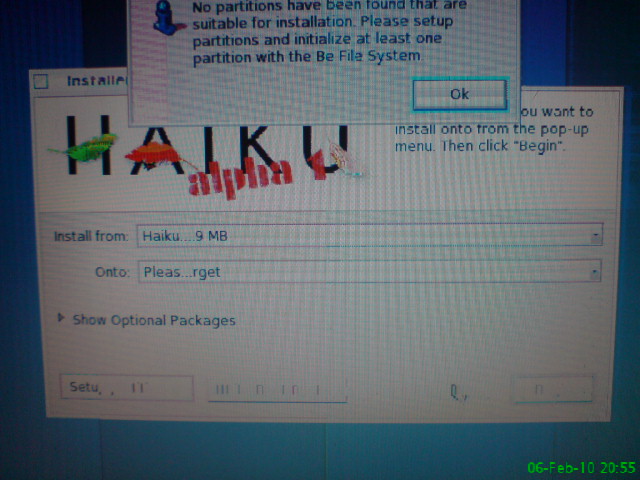
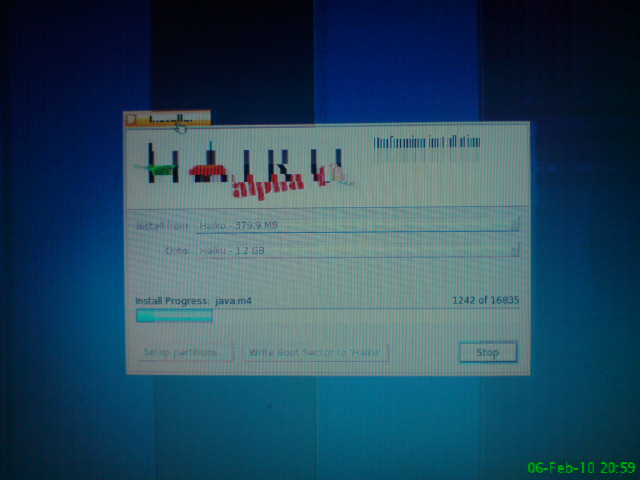
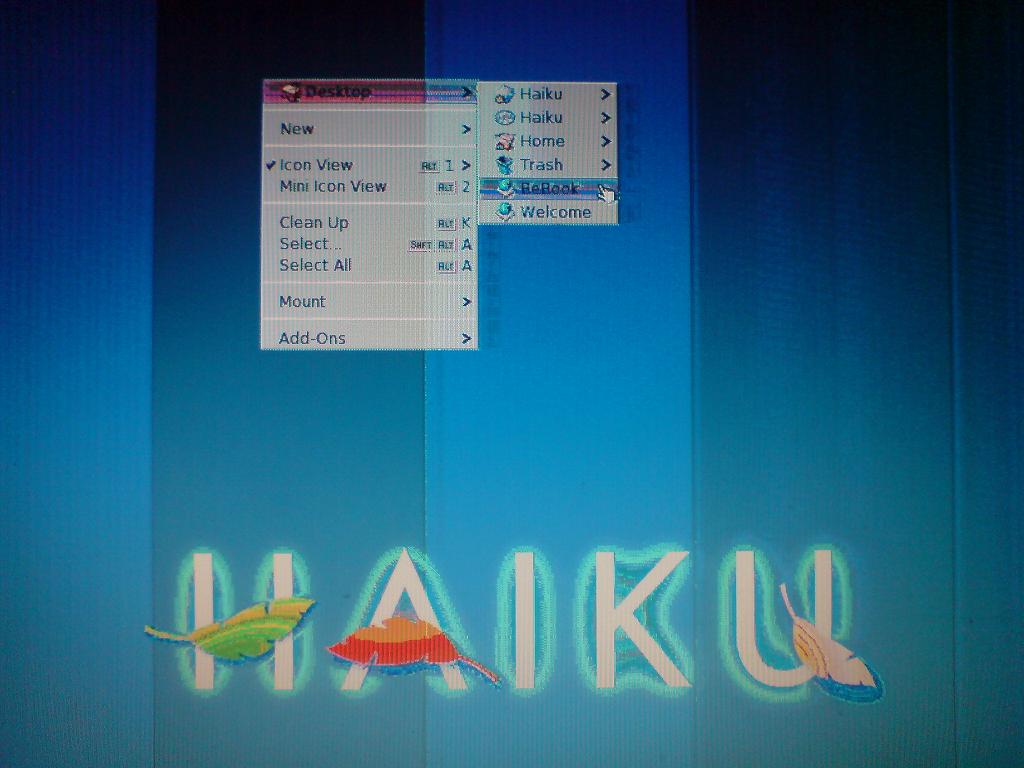
During the install phase, and after the system booted, the screen looks garbled. Multiple vertical bands of different colors are visible, some text does not show at all, some images are distorted.
I have an Acer 5315 with a Mobile Intel display adapter (Intel 965 Express chipset).
Attached are 3 images, and I think it's the most obvious in the 3rd (freshly installed system).
Attachments (3)
Change History (15)
by , 15 years ago
| Attachment: | DSC00585.JPG added |
|---|
by , 15 years ago
| Attachment: | DSC00588.JPG added |
|---|
by , 15 years ago
| Attachment: | DSC00590.JPG added |
|---|
comment:1 by , 15 years ago
| Priority: | normal → high |
|---|
comment:2 by , 15 years ago
| Component: | User Interface → Drivers/Graphics/intel_extreme |
|---|---|
| Owner: | changed from to |
| Priority: | high → normal |
| Status: | new → assigned |
comment:4 by , 15 years ago
Hey no worries! :-) Did my suggestion about using the VESA driver work out ok for you?
comment:6 by , 15 years ago
Looks like the pixel clock is set too high, causing the chip not being able to keep up. Can you please attach a syslog (when using the driver, of course)?
comment:7 by , 14 years ago
I have a similar problem on my netbook - it's an Atom N450 with an IGP. In builds before the Atom IGP was targeted, it booted to distorted 800x600x32. In every build since then, it boots normally, but once the driver loads, the screen is completely corrupted. It looks almost like static on an analog TV used to. The underlying desktop seems to work, since the color pattern changes slightly when I move the mouse. I'll attach a screenshot once I get home and get my camera.
EDIT (4/8/11): This no longer happens with the latest nightly builds, instead I just lose video entirely.
comment:8 by , 8 years ago
| Owner: | changed from to |
|---|
comment:9 by , 6 years ago
| Milestone: | → R1/beta2 |
|---|
comment:12 by , 5 years ago
| Milestone: | R1/beta2 |
|---|
Remove milestone for tickets with status = closed and resolution != fixed




For the time being, you should be able to remove/rename the "intel_extreme" driver from /boot/system/add-ons/kernel/drivers/bin. (Renaming will break a link to this driver which also disables it.) That will then give you VESA graphics. On notebooks, the VESA BIOS usually includes the native resolution of the panel, so that you don't have any drawbacks. In any case, we reserve the "high" priority for more serious bugs. I know it sucks for you if this bug doesn't get fixed (although the above should help), but please don't try to push the urgency.