


#9452 closed bug (invalid)
Booting haiku anyboot from USB locks BIOS
| Reported by: | jstressman | Owned by: | nobody |
|---|---|---|---|
| Priority: | normal | Milestone: | |
| Component: | - General | Version: | R1/Development |
| Keywords: | Cc: | ||
| Blocked By: | Blocking: | ||
| Platform: | All |
Description
I've tried two different USB thumb drives, a 2GB Verbatim "Store n go" and a 32GB Sandisk Cruzer Glide.
Both USB sticks work just fine with different formatting. I've booted the machine with both in before and after they were Haiku formatted and they worked fine.
I formatted the 2GB both as a YUMI multiboot (before the Haiku boot problems), and as a win98 boot disk to update the BIOS (after the boot problems). Booted fine as both.
But either stick, as soon as I write the Haiku anyboot to it, precisely as per https://www.haiku-os.org/guides/installing/making_haiku_usb_stick which has worked for me any other time, the BIOS locks up as soon as it shows the CPU type.
Attachments (2)
Change History (7)
by , 11 years ago
| Attachment: | boot-frozen.jpg added |
|---|
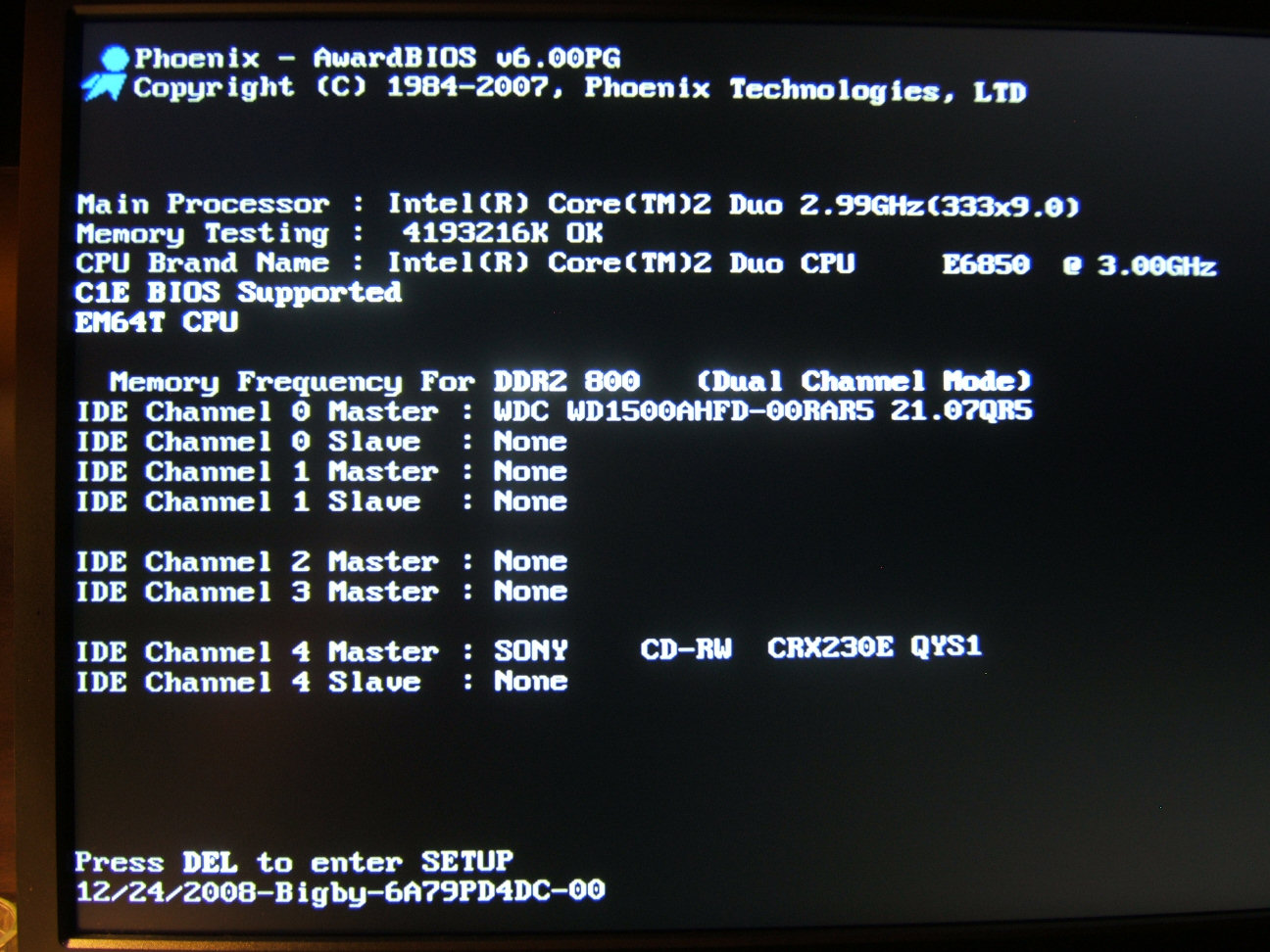
by , 11 years ago
| Attachment: | boot-normal.jpg added |
|---|
comparison showing how a normal boot looks as it continues on past that point.
comment:1 by , 11 years ago
To clarify, this lock happened before and after the BIOS update. I updated the BIOS after the locks to see if a more recent version might have fixed the problem.
Unfortunately it didn't, and they haven't released any new BIOS for this board since the end of 2008, so this is it.
FAT formatted USB stick lets the machine boot fine, bootable sticks work fine, even an unpartitioned stick works fine. It's something about the Haiku anyboot stick that kills it.
Even tried using the RAW image instead to see if maybe anyboot was the problem. Exact same lock up. :(
comment:2 by , 11 years ago
I even waited until I was at the grub menu to insert the USB stick so that I could boot it from grub, but even that locks up the instant you insert the USB.
Basically inserting the USB at any point while the BIOS still has control of the USB is an instant hard lock.
Once you get to the OS you can insert it and do whatever just fine.
I tried fiddling around with the BIOS settings to alter boot order, enable/disable some different options etc. Nothing made any difference.
comment:3 by , 8 years ago
yumi and haiku don't work at this time.
Try any other yumi alternative,
as imageusb from http://www.osforensics.com/tools/write-usb-images.html for a single boot usb-boot-stick
or easy2boot from http://www.easy2boot.com/add-payload-files/list-of-tested-payload-files/ for a multiboot usb-boot-stick
comment:4 by , 5 years ago
| Resolution: | → invalid |
|---|---|
| Status: | new → closed |
The BIOS hard-locking really isn't our fault; Haiku anyboots work with pretty much all known BIOSes. And if you are using YUMI to make it, then that further points to YUMI being the issue, not the anyboot format.
comment:5 by , 4 years ago
| Milestone: | R1 |
|---|
Remove milestone for tickets with status = closed and resolution != fixed


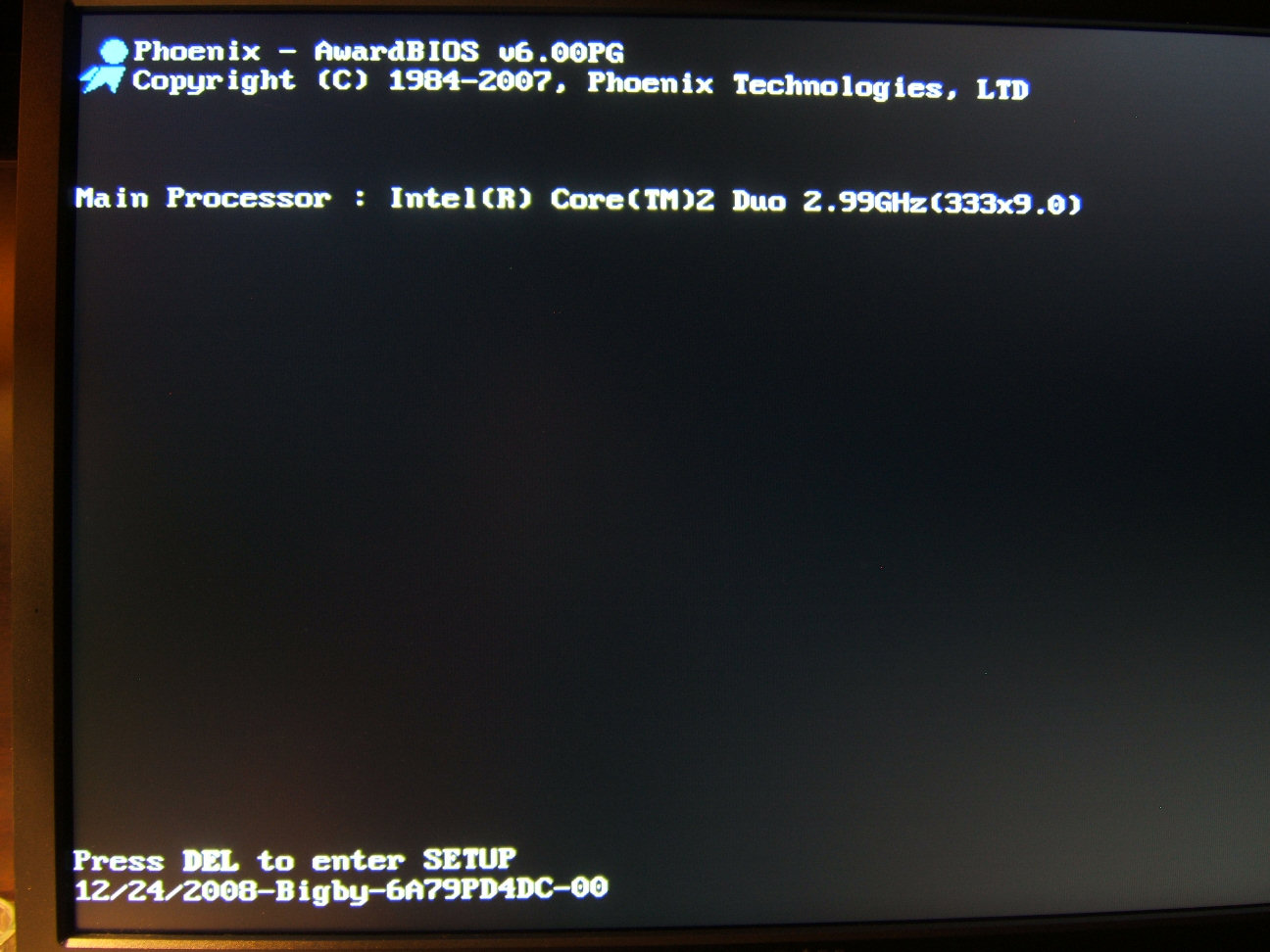

system hard locks at this point in BIOS when Haiku USB stick is in usb slot.