Opened 15 years ago
Closed 9 years ago
#3273 closed bug (duplicate)
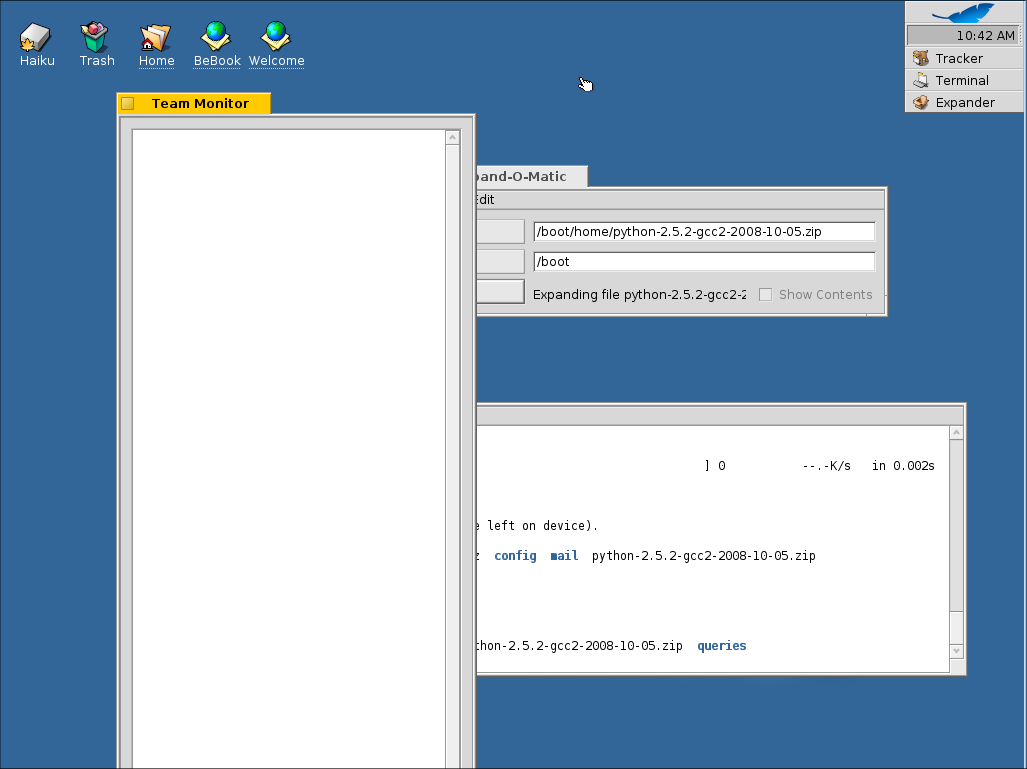
Team Monitor sometimes has a very tall window
| Reported by: | scottmc | Owned by: | axeld |
|---|---|---|---|
| Priority: | normal | Milestone: | R1 |
| Component: | Servers/app_server | Version: | R1/pre-alpha1 |
| Keywords: | Cc: | ||
| Blocked By: | Blocking: | #7223 | |
| Platform: | All |
Description
I've seen this happen before but wasn't sure what I did to trigger it. This time it happened in vmware when I hit ctrl-alt-del, then got the vmware message saying that i should use ctrl-alt-ins instead, so did that and then i got this really tall Team Monitor window, no idea how tall it is but moving it up by grabbing the side I wasn't able to find the bottom even after moving it up several screens...
Attachments (1)
Change History (7)
by , 15 years ago
| Attachment: | tall-team-monitor.png added |
|---|
comment:1 by , 15 years ago
- Note that this may or may not be a valid bug, as the system was in a semi-crashed state and I had to reset it to do anything else.
comment:2 by , 15 years ago
This smells like a duplicate or at least related to ticket #1997. The description at least matches.
comment:3 by , 15 years ago
Yeah it does sound a lot alike and I probably corrupted the image, I had deleted the largest font i could find which seems to have been the default font used by the icons since when i did reboot the icon font was different. Might that have caused the team monitor to wig out? Or the fact that the drive was nearly full? I guess close this one for now and if I see it happen when I haven't done something to the system to mess up the image then I'll reopen it.
comment:4 by , 15 years ago
| Component: | - General → Servers/app_server |
|---|
It should actually be able to sanely fall back to another font, it certainly shouldn't have the result you saw there. See if you can replicate that problem again before we close it please, it's also entirely possible there are other race conditions or less than ideal error handling conditions left in the app_server that triggered what you saw.
comment:5 by , 14 years ago
Happened to me with a wrongly configured jamfile trying to build haiku. It prevented anything else to draw text, so menus opened up empty and so on. Could be either font files getting replaced while open; or disk full. It was 100% reproductible by jamming haiku on the running partition.
comment:6 by , 9 years ago
| Blocking: | 7223 added |
|---|---|
| Resolution: | → duplicate |
| Status: | new → closed |